



Every security team needs a reliable, scalable way to manage IT risk—beyond just passing audits.
Tools like Drata and OneTrust reflect two ends of the GRC spectrum: compliance automation and enterprise-wide coverage.
These tools automate audit prep, and both also document risk management, vendor risk and asset inventory features. And when a platform tries to do everything, it often sacrifices usability and speed—leaving security teams with more complexity than clarity.
Isora GRC takes a more streamlined path. It’s purpose-built for security teams who need to run assessments, manage inventories, and track risks—without relying on generic checklists or sprawling GRC infrastructure.
Here’s a closer review.
Choosing the Right Platform for IT Risk Management
Drata and OneTrust shine when it comes to automating audit evidence collection, and both also document risk management beyond certification. Drata’s help center covers identifying, scoring and treating risks. OneTrust’s IT Risk Management page describes automating assessments and control management to engage the business and execute remediation.
Isora GRC delivers structured, repeatable workflows for internal and external risk assessments, inventory management, exception tracking, and collaborative risk registers—making it easier for security teams to operationalize continuous risk management, not just prepare for audits.
The Workflow That Matters: Managing IT Risks and Compliance
Managing IT risk is an ongoing, collaborative effort—not a one-and-done audit. Security teams need to continuously assess internal units and vendors, maintain inventories, track emerging risks, and manage exceptions as part of their everyday workflow.
Isora GRC helps security teams manage the full risk lifecycle with structured workflows that drive better visibility, faster collaboration, and stronger risk outcomes.
How Each Platform Supports IT Risk Management Workflows
| Workflow Area | Drata | OneTrust | Isora GRC |
| Assessment Management | Drata supports continuous compliance with automated assessments. Its help center documents custom frameworks, custom controls, custom tests and custom workflows. | OneTrust helps with assessments. Its site lists logic built into risk assessments, user-configurable workflows and automation rules, and UI-driven configuration that needs no IT resources. | Centralized, intuitive assessment dashboard across business units, vendors, and assets. Built specifically for security teams. |
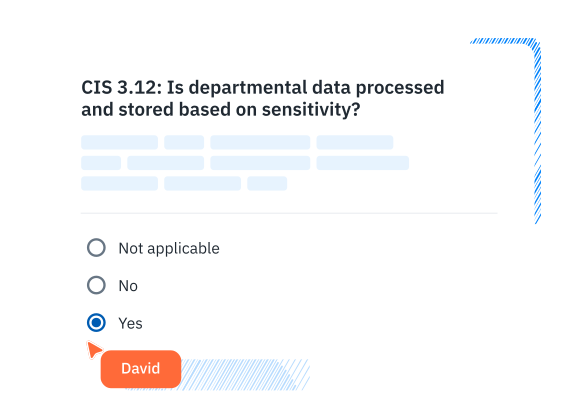
| Questionnaire Delivery & Completion | Drata includes vendor questionnaires. Its help center describes structured, customizable questions, bulk import, and Yes/No questions with an optional follow-up question. | Surveys work in OneTrust. Its site lists scoping surveys, third-party assessments with tailored depth, and user-configurable workflows. | Customizable and prebuilt questionnaires for frameworks like NIST, ISO, GLBA, HIPAA, and more. Designed for internal and external collaboration. |
| Inventory Tracking | Drata’s help center describes its Asset Inventory as the system of record for assets in scope for compliance and audits. | OneTrust lists an evergreen asset inventory and risk discovery across assets, processes and vendors. Its site also lists pre-built integrations and a visual integration builder. | Centralized tracking of assets, vendors, and organizational units with integration support for existing data sources. |
| Risk Register & Exception Management | Risk tools exist in Drata, and its help center documents residual risk scoring, multiple risk registers and custom risk formulas. It also documents exclusions that record approved compliance exceptions with a business rationale. | The risk log works, and OneTrust lists flexible risk aggregation and scoring. It says configuration updates are UI-driven and need no IT resources. Its site also lists policy exception tracking with automated follow-up. | Flexible, collaborative risk register with scoring, status, evidence, and ownership tied directly to assessments. Exception management is built-in and intuitive—no extra modules or configuration required. |
| Scoring, Reporting & Risk Visualization | Drata creates automated reports and dashboards. Its help center describes a Risk insights dashboard, tied to Risk Management Pro, with a risk heatmap, category breakdown and risks-over-time charts. | OneTrust gives charts and reports. Its Tech Risk and Compliance page lists automated reporting with dynamic, real-time dashboards. | Automated scorecards, risk maps, and executive-friendly reports with actionable insights—no manual config required. |
| Collaboration & User Experience | Drata has a clean and simple interface. Its help center documents user roles, task assignment, policy comments and workflows that can notify Slack or Teams. | OneTrust describes an intuitive experience for light and heavy users alike and a user-friendly portal for business collaboration. Its free online training and badges can help staff learn faster. | WCAG-compliant, award-nominated interface with built-in commenting, team workflows, and fast onboarding. |
| Implementation & Setup | Setup looks simple at first. Drata’s help center offers a Quick Start, onboarding webinars and an implementation roadmap. | Getting OneTrust up and running takes time. Setup and moving data need strong teams and resources. Small teams may struggle due to cost and effort. The price can also block smaller businesses. | No-code setup in days or weeks. Minimal IT lift required. Designed to go live quickly across teams and vendors. |
What Sets Isora GRC Apart?
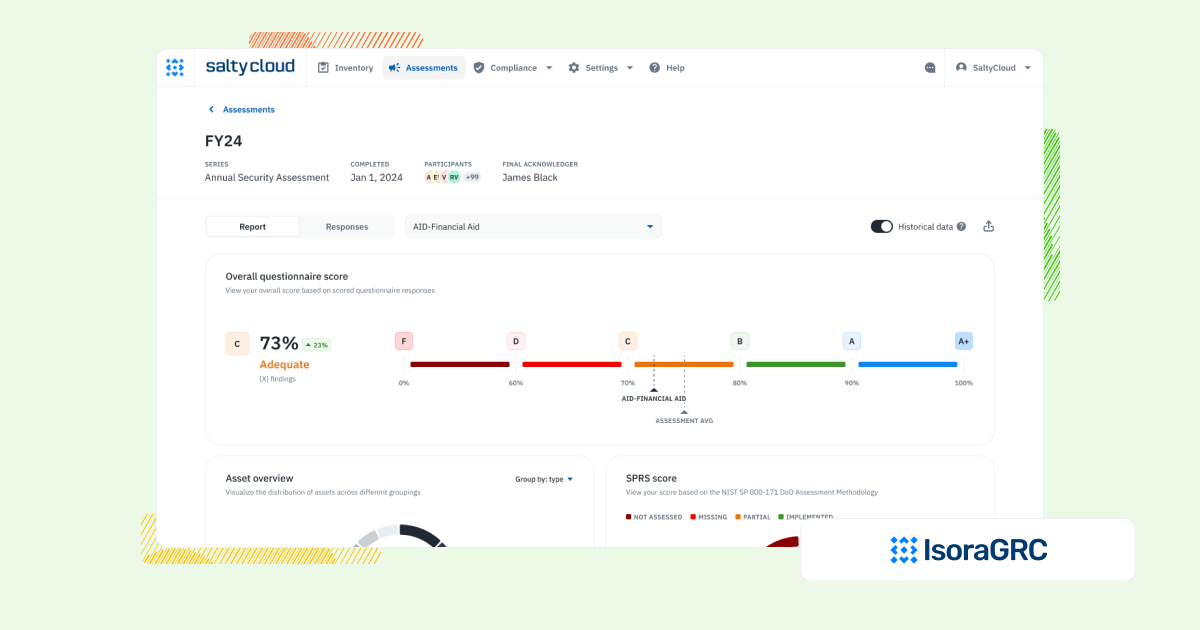
Isora GRC was purpose-built for information security teams—designed to support the real workflows behind risk and compliance, not just generate reports. While legacy GRC platforms require months of configuration and rigid processes, Isora takes a modern, scalable approach:
- Purpose-built for security and third-party risk teams
- No extra modules or cross-department bloat—just the workflows that matter.
- Easy for anyone to use
- Clean UI, no complex training, and built to drive adoption across the org.
- Streamlined for action, not just documentation
- Assessments, questionnaires, inventories, risk tracking, and reporting—all in one place.
- Fast, no-code implementation
- Go live in weeks, not quarters, with minimal IT lift.
- Scales with your program
- Whether you’re running a lean risk function or supporting a large institution, Isora grows with you—without getting in the way.
Who Each Platform Is Best For
| Platform | Who It’s For |
| Drata | Startups rushing to get SOC 2 done. Drata’s help center also documents risk assessments, risk registers and vendor reviews. |
| OneTrust | Teams focused on privacy, third-party checks, and AI governance. Works fast but leans more toward general compliance than InfoSec. |
| Isora GRC | Security teams that need a scalable, usable IT risk management program across their organization. |
What Our Customers Say About Isora GRC
Security teams at top institutions are using Isora GRC to replace legacy tools and manual processes with intuitive workflows and actionable insight.
FAQs
What’s the difference between Drata, OneTrust, and Isora GRC?
Drata focuses on automating audit preparation for frameworks like SOC 2 and ISO 27001. OneTrust is a broader privacy and compliance platform with GRC features. Isora GRC is built for security teams managing IT and vendor risk as ongoing workflows.
Are Drata and OneTrust considered GRC platforms?
OneTrust is an all-in-one GRC platform with a strong focus on privacy and third-party risk. Drata is more narrowly focused on compliance automation. Both can support parts of the GRC picture, and both document assessments, inventories and risk tracking over time. OneTrust lists IT risk assessments and an evergreen asset inventory, and Drata’s help center documents risk assessments, a risk register and an Asset Inventory.
Does Isora GRC replace tools like Drata or OneTrust?
For teams focused on IT and third-party risk management, yes. Isora GRC supports workflows like internal and vendor assessments, exception tracking, and collaborative risk registers.
Which platform is better for managing IT risk across the organization?
Isora GRC is designed for that exact use case. It supports structured, repeatable workflows across internal teams and third parties, with tools built for adoption and scale. Drata is better suited for audit automation; OneTrust is often used for privacy and legal compliance.
Can Isora GRC be used alongside Drata or OneTrust?
Yes. Some organizations use Drata for audit prep and Isora for broader risk management. Others rely on OneTrust for privacy or vendor tracking while using Isora for operational security workflows.
What should I look for in a GRC platform to support security teams?
Prioritize platforms that support assessments, inventories, exception management, and risk tracking. Isora GRC delivers all of this in a focused platform that security teams can deploy and use—without deep configuration or dependency on audit timelines.

This content is for informational purposes only and does not constitute legal or compliance advice. See our full disclaimer.
