





 Table of Contents
- CIS Benchmarks, Explained: What They Cover and What They Prove
- What Are CIS Benchmarks?
- CIS Benchmarks vs CIS Controls
- What Is a CIS Benchmark Recommendation?
- Which Technologies CIS Benchmarks Cover
- How CIS Benchmark Versions and Tooling Work
- CIS Benchmark Profiles: Level 1, Level 2, and STIG
- What a CIS Benchmark Score Does and Does Not Prove
-
How to Apply CIS Benchmarks Without Breaking Production
- Step 1 — Pull the Current Benchmark and Audit Against It
- Step 2 — Prioritize Level 1 on the Most Exposed Systems
- Step 3 — Decide Which Level 2 Recommendations Apply, and Record the Exclusions
- Step 4 — Test in a Non-Production Environment First
- Step 5 — Roll Out Through Configuration Management
- Step 6 — Re-Audit on a Schedule and Alert on Drift
- How to Simplify CIS Benchmarks
- Key Takeaways
-
CIS Benchmarks FAQs
- What is a CIS benchmark?
- What is a CIS benchmark 1 or 2?
- What does CIS mean in compliance?
- What is the difference between NIST and CIS benchmarks?
- Are CIS Benchmarks free?
- Can an organization be “CIS compliant” or CIS certified?
- How many recommendations does a CIS Benchmark contain?
- How often are CIS Benchmarks updated?
CIS Benchmarks, Explained: What They Cover and What They Prove
A CIS Benchmark is a list of recommended security settings for one specific technology. It’s published by the Center for Internet Security (CIS), which maintains more than 100 Benchmarks across 25-plus vendor product families. Those families span operating systems, databases, containers, cloud platforms, and network devices, and every product gets its own document.
But most teams still aren’t sure whether a passing CIS scan makes an organization compliant. Since it only tests selected configuration settings on one technology at one moment in time, a CIS Benchmark cannot answer that question. No organization earns a certificate for matching a CIS Benchmark, because CIS does not certify the enterprises that adopt its guidance.
This guide covers what a Benchmark contains and which technologies the catalog covers. It then works through profiles, versions, and what a conformance percentage actually proves.
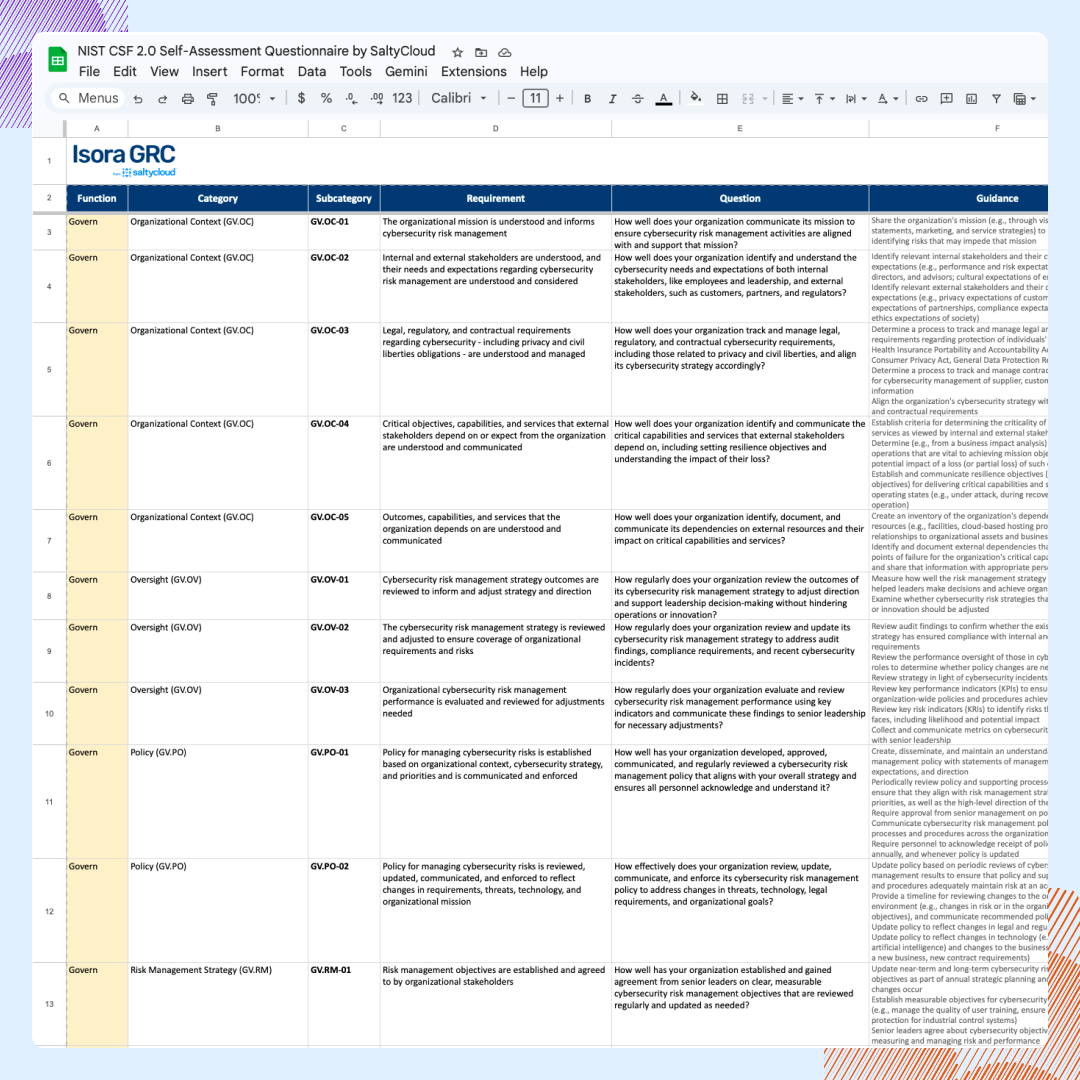
Map all 106 NIST CSF 2.0 Subcategories to CIS Controls v8, NIST 800-53, NIST 800-171, ISO 27001, and the Secure Controls Framework.
Get the NIST CSF 2.0 Multi-Framework Crosswalk →
What Are CIS Benchmarks?
CIS Benchmarks are best practices for the secure configuration of a target system. In federal terms, a Benchmark is a security configuration checklist for one IT product. NIST defines that category in SP 800-70 Rev. 5 for its National Checklist Program.
Each of the 100+ CIS Benchmarks:
- Is written against one named product at a named version
- Lists individually testable recommendations with audit and remediation steps
Therefore, a Windows Server Benchmark says nothing about a database or a cloud tenancy. The guidance itself is written by consensus committees of security practitioners, and no accredited certificate exists for organizations that match it.
A CIS Benchmark is a secure configuration guideline for one specific technology, published by the Center for Internet Security. Each one covers a single product family and lists the settings a team can audit and remediate.
The CIS Benchmarks are published by the Center for Internet Security (CIS), a nonprofit that distributes the Benchmarks free of charge in PDF format. CIS develops each one through a consensus process that draws on cybersecurity professionals and subject-matter experts around the world.
How Are the CIS Benchmarks Developed?
Every CIS Benchmark is developed through a unique consensus-based process. Initial development comes first, and community feedback follows after publication. Today, that process draws on more than 12,000 cybersecurity professionals and subject matter experts around the world.
According to CIS, the Benchmarks are the only consensus-based, best-practice security configuration guides both developed and accepted by government, business, industry, and academia in 2026.
Are CIS Benchmarks Free?
CIS Benchmarks are free to download as PDFs. The license grants the right to reproduce and Share the Licensed Material, in whole or in part, for NonCommercial purposes only. That restriction governs redistribution and adaptation rather than internal use.
A commercial organization can download the free PDF and harden its own systems against it without paying CIS anything. What the NonCommercial term prohibits is republishing the document, or a work derived from it, for commercial advantage.
Since the PDFs are already free to everyone, CIS membership offers machine-readable file formats and tooling. Membership matters most to a team whose scanner has to ingest the Benchmark directly, because hand-reading a 1,000-page PDF does not scale across the organization.
CIS Benchmarks vs CIS Controls
A CIS Benchmark tests selected configuration settings on one technology, while the CIS Critical Security Controls govern security practice across the whole organization. Here, treating a Benchmark as a complete compliance framework is the most common mistake.
CIS Benchmarks and CIS Controls differ on almost every dimension an assessment cares about.
| Dimension | CIS Controls | CIS Benchmarks |
|---|---|---|
| What it governs | Security practice across the organization | Configuration of one technology |
| Unit of guidance | Safeguards inside 18 Controls | Individual configuration recommendations |
| Prioritization construct | Implementation Groups IG1, IG2, IG3 | Profiles: Level 1, Level 2, STIG |
| What evidence must show | A Safeguard is designed, implemented and operating | A technology matched a selected, versioned profile at a point in time |
| Assessment tooling | Self-assessment against the Safeguards | CIS-CAT Pro Assessor and third-party configuration scanners |
Some vendor documentation states the same limit for in-scope products. Rather than an exhaustive list of possible security configurations and architecture, the Benchmarks establish a basic level of security and serve only as a starting point. Each organization that implements the CIS Controls must evaluate its own situation, workloads, and compliance requirements, then tailor its environment accordingly.
Beyond CIS Benchmarks, compliance programs still need to cover several factors. They include:
- Regulatory scope: Which obligations apply to the organization in the first place, which is a legal question rather than a configuration one.
- Risk assessment: Which threats matter enough to justify which controls, and at what operational cost.
- Control ownership: Who is accountable when a control fails, named by person and by role.
- Policy: The written standard that a configuration setting is meant to enforce.
- Incident-response governance: What happens after a control does not hold, and who decides.
- Vendor management: The third parties operating inside the same environment under their own baselines.
- Evidence retention: Proof that each of the above operated across a period rather than at a single instant.
Where the two publications meet is CIS Control 4, Secure Configuration of Enterprise Assets and Software. Here, the CIS Benchmarks supply the configuration detail. So, every Benchmark recommendation also maps to one or more CIS Control. A team running a Benchmark scan has assessed configuration, while the organizational Safeguards behind the Controls remain unassessed.
Organizations cannot be “CIS compliant” or CIS certified, since no accredited pass or fail certificate is issued for matching a Benchmark or implementing the Controls. Instead, organizations can self-assess against CIS guidance, implement it, or align with it.
CIS does run a CIS Controls Accreditation program, which accredits service providers against CREST standards. But accrediting providers is separate from certifying adopting enterprises.
Meanwhile, the programs that do require CIS configuration baselines often wrap them in a wider set of obligations. For example:
- FedRAMP’s Rev 5 baseline requires cloud service providers to establish configuration settings from Department of Defense Security Technical Implementation Guides or CIS guidelines. The same FedRAMP baseline calls for Security Content Automation Protocol (SCAP) validated or SCAP-compatible checklists. That requirement sits inside a regime covering system scoping, independent assessment, authorization, and continuous monitoring.
- CISA’s Binding Operational Directive 25-01 requires federal civilian agencies to implement the designated secure configuration baselines and report assessment results on a set cadence. They are also required to remediate deviations and document those they accept.
- The HHS Office for Civil Rights describes baselines the same way under the HIPAA Security Rule at 45 CFR Part 164 Subpart C. OCR treats them as standardized controls and settings inside ongoing risk management, reviewed and modified as conditions change.
Implementation Groups belong to the Controls, while Level 1, Level 2 and STIG belong to the Benchmarks. So, there is no IG1 Benchmark and no CIS Controls Level 1. Keeping the two vocabularies apart prevents most of this confusion.
What Is a CIS Benchmark Recommendation?
Every CIS Benchmark recommendation contains five parts, including description, rationale, impact, audit, and remediation. More specifically:
- Description: A high-level overview of the recommended configuration and the state it produces on the system.
- Rationale: The security reason the setting matters, which is the text an auditor reads when a deviation needs justifying.
- Impact: The operational effects of implementing it, including the workloads the change can disrupt.
- Audit: The procedure for verifying the current state of that setting on a running system.
- Remediation: The steps that move the setting from its current value to the recommended one.
What makes a Benchmark testable are the audit and remediation procedures that explain what to configure securely and how to do it. Across CIS Benchmarks, each recommendation:
- Names one setting.
- States its secure value.
- Outlines the steps to check and correct it.
- Maps to one or more of the CIS Controls.
However, no canonical recommendation count exists. That’s because complexity differs across the product families CIS covers — some Benchmarks are over 1,000 pages long, offering hundreds of recommendations. The count that applies to any one organization depends on which profile it scans against.
Which Technologies CIS Benchmarks Cover
CIS Benchmarks cover technologies across 25-plus vendor product families, organized into nine categories. They include:
- Operating systems
- Cloud provider platforms and cloud services
- Containers
- Databases
- Desktop software
- Server software
- Mobile devices
- Network devices
However, CIS publishes no per-category count alongside each family. Because cloud is one of CIS’s own technology types, it covers both provider platforms and cloud services. Meanwhile, a team running Windows Server, a database, a container platform, and a public cloud account works against four separate CIS Benchmarks, with each moving on its own version line.
How CIS Benchmark Versions and Tooling Work
Since CIS Benchmark versions move per platform, each Benchmark follows its own release schedule, which CIS publishes monthly. For example, in the July 2026 update:
- Several Benchmarks moved a minor or major version.
- Separate Build Kits shipped for other platforms.
- No new Benchmarks were released that month.
For the exact platform and version, teams can pull Benchmarks from CIS’s live Benchmarks catalog. CIS also publishes tooling around the Benchmarks, helpful when a report arrives from another team. They include:
- The CIS Configuration Assessment Tool (CIS-CAT) Pro Assessor measures a system’s conformance to a CIS Benchmark and produces the conformance score a scan report cites.
- Build Kits apply a configuration in line with a Benchmark to make rollouts repeatable.
- CIS Hardened Images are virtual machine images preconfigured to a CIS Benchmark, so a workload starts in the hardened state.
- CIS WorkBench holds older Benchmark versions and supports tailoring for recommendations that do not fit the environment.
- CIS SecureSuite Membership covers tailoring and the additional file formats, including the machine-readable ones a scanner consumes.
CIS Benchmark Profiles: Level 1, Level 2, and STIG
The CIS Benchmark profiles are Level 1, Level 2, and STIG. Each profile is a tag applied to individual recommendations inside a single Benchmark document, and every recommendation is associated with at least one profile. CIS Benchmark profiles include:
- Level 1: A base recommendation for quick implementation with minimal performance impact.
- Level 2: Defense in depth for secure environments with potentially adverse affects to operations when applied without testing.
- STIG: Replaces Level 3 with recommendations from the U.S. DoD Security Technical Implementation Guide for the platform.
Most teams scan against the Level 1 profile first, since Level 2 builds on it. STIG works differently, which is one of the reasons why it’s no longer named “Level 3.” Individual Benchmarks also define role variants and optional add-on profiles, which means the profile list in any one document can run longer than three.
What a CIS Benchmark Score Does and Does Not Prove
A CIS Benchmark conformance percentage proves that a scanner found selected settings in their recommended state at scan time. But it does not establish compliance.
In fact, because CIS prescribes no universally acceptable score, obtaining 100% parity with a Benchmark may not be feasible. In some cases, implementing all of its configurations and policies could even negatively impact operational workflows or dependencies. CIS recommends tailoring those checks or removing inapplicable items from automated scoring to avoid such consequences.
CIS-CAT can only score the checks it automates and resolves, so conformance percentage also leaves out entire categories of recommendations. Instead of a pass or a fail, CIS-CAT result statuses cover the results a scan returns. That includes:
- Manual and Not Checked: Recommendations the tool cannot automate are excluded from the pass percentage. A high score can coexist with a long list of unverified recommendations.
- Unknown: The state could not be collected, which is not the same as the setting being insecure.
- Not Applicable: A recommendation does not apply to the platform that was scanned.
- Not Selected: A Level 2 check was omitted because the scan ran against Level 1.
The result only covers the rules the selected profile contains, so a scan does not guarantee compliance. A percentage reported without its profile and Benchmark version is not comparable to any other, and a conformance report naming neither cannot be interpreted at all.
A CIS Benchmark scan demonstrates that a system matches a specific baseline at a certain point in time. But it does not prove whether:
- The baseline is current.
- The exceptions are controlled.
- The identity layer is sound.
As a result, hosts might pass benchmark checks while still being exposed through over-privileged automation, unmanaged local accounts, or secrets stored in places the benchmark does not inspect. When change is continuous and review is periodic, benchmark compliance breaks down.
Meanwhile, some scanners disagree with each other. For example, SCAP Security Guide rules and the CIS Benchmarks can return different results for the same requirement. Usually, that’s because the SCAP rules enforce the stricter explicit setting a DoD STIG demands, and they test persistent state.
Different tools can also divide by different numbers. To calculate a conformance percentage, tools divide the checks that passed by a total, and that total is the number of checks each tool decided to include in the score. Some divide the controls that passed by the enabled controls returning Passed, Failed, or Unknown, dropping any control returning No data from the calculation.
Suppressing a finding shifts the result as well, since a control whose failed findings are all suppressed counts as Passed. Two reports labeled against the same CIS standard can therefore rest on different sets of checks, so the numbers are not comparable even when the standard named on each report is identical.
How to Apply CIS Benchmarks Without Breaking Production
Applying a CIS Benchmark without an outage runs as six steps, and each one prevents a specific failure. NIST SP 800-128 frames the whole sequence as a managed lifecycle. That lifecycle has to lower risk while keeping the business functionality a system exists to deliver.
Teams looking for a CIS hardening checklist already have one, because the Benchmark is the checklist. Its audit steps are the check and its remediation steps are the fix, and both appear in the same document as the setting they govern.
Step 1 — Pull the Current Benchmark and Audit Against It
Hardening starts with the Benchmark for the exact platform and version the organization runs, audited against live systems. A baseline built from an outdated download measures the wrong version of the wrong product. Since CIS ships Benchmark updates monthly, an internal copy of unknown age is usually already stale.
Step 2 — Prioritize Level 1 on the Most Exposed Systems
Level 1 on the systems with the most exposure or the most sensitive data gives the largest risk reduction for the least operational disruption. Full parity across the whole estate is not the goal. CIS’s own position supports that pacing, since implementing every configuration and policy may be infeasible.
Step 3 — Decide Which Level 2 Recommendations Apply, and Record the Exclusions
Level 2 is usually where workload breakage starts, so each of its recommendations needs a deliberate decision rather than a default. Teams identify the settings that could disrupt an application, then log every recommendation the organization is not applying with four fields: the justification, the compensating control, the owner, and the expiration date.
In its own national-bank case study, CIS describes an IT team that documents exceptions thoroughly enough to know which business processes a given control would break. Without that record, the same justified deviation returns as an audit finding on the next cycle, which is why this is the step most programs skip.
An exception record is only half of it, since it documents the decision not to apply a recommendation while the exposure that decision leaves needs its own risk entry, scored and owned until it is remediated or formally accepted. NIST SP 800-171 draws the same line, and Revision 3 puts enduring exceptions in the system security plan while tracking isolated or temporary deficiencies through plans of action and milestones.
Step 4 — Test in a Non-Production Environment First
Testing in a non-production environment first is CIS’s own recommendation, which is to apply “CIS Benchmark guidance in a test environment first to determine potential impact.” Teams apply the changes in staging, confirm the application still works, and only then promote them.
Skipping this step has a documented cost, and vendor troubleshooting guidance records that the Windows Failover Cluster service stops starting on a host configured to the CIS Microsoft Windows Server 2025 Benchmark v1.x. The recommendation blocked the Cluster Authentication Manager from loading into the Local Security Authority Subsystem Service. CIS scoped that recommendation to domain controllers in v2.0 of the same Benchmark, which resolved the failure. Benchmark version therefore matters as much as profile.
Step 5 — Roll Out Through Configuration Management
A hardened state holds when configuration management enforces it rather than an operator applying it by hand. CIS Build Kits exist for exactly this step. Red Hat warns about the remediation side in its own documentation, since automatic remediation can render a system non-functional and ships with no automated rollback. Rolling out by system tier keeps that risk contained to one group of hosts at a time.
Step 6 — Re-Audit on a Schedule and Alert on Drift
Re-auditing on a fixed schedule shows whether the hardened state held between scans. An operator change or a new deployment can quietly undo a setting. CIS publishes no recommended review interval for an organization’s own baseline documents, so teams usually set that interval themselves. A regulated program sometimes sets it for them, as BOD 25-01 does by requiring reporting on a fixed cadence.
How to Simplify CIS Benchmarks
Simplifying CIS Benchmarks means managing the work a configuration scan creates and cannot finish. That work has four parts: identifying which platforms fall under which Benchmark, assessing the CIS Controls Safeguards the scan never tests, recording each exclusion with an owner and an expiration date, and tracking the residual risk those exclusions leave. A governance, risk, and compliance (GRC) platform keeps all four in one place instead of four spreadsheets.
Isora GRC is the GRC Assessment Platform™ built for security teams that run a CIS Controls v8 program.
See the GRC Assessment Platform in action →
Inventory Management
Manage every asset, application, and vendor in one place. Tag each entry with an owner and data classification, and link it to its own assessment history. In Isora, scoping a new Benchmark is as simple as applying a query filter, and producing the enterprise and software inventories required by CIS Controls 1 and 2 is a byproduct of the work.
Learn more about inventory management with Isora GRC →
Assessment Management
Launch a CIS Controls self-assessments from the prebuilt questionnaire library, then distribute it to the departments and system owners accountable for each Safeguard. In Isora, multiple contributors can collaborate on a single questionnaire, with completion and scoring updates as responses arrive. Run assessments on a recurring cycle to keep the Controls side of the program measurable between audits.
Learn more about assessment management with Isora GRC →
Exception Management
Log every risk exception, assign an owner and expiration date to each one, and attach justification for auditors — the same fields required by the CIS national-bank program — all in one place. Then, link each entry to the asset or vendor it applies to, and record the compensating control alongside it. In Isora, automated reminders raise every exception for review before its expiration date. Over time, the accumulated record shows which policies generate the most exceptions and which units request them most often, exactly the evidence a policy revision needs.
Learn more about exception management with Isora GRC →
Risk Management
Triage every finding on the spot by escalating it to the risk register, requesting an exception, or closing it out. Once escalated to the register, every finding gets a 5×5 likelihood-by-impact score, a named owner, and a remediation plan with milestones and target dates. In Isora, each risk keeps its lineage back to the questionnaire item, the mapped control, and the assessment that produced it, and an append-only log records every status change from open to closed.
Learn more about risk management with Isora GRC →
Key Takeaways
A CIS Benchmark is a secure configuration guide for one technology, and CIS publishes more than 100 of them across 25-plus vendor product families. The PDFs are free under a Creative Commons Attribution-NonCommercial-ShareAlike 4.0 license, and the NonCommercial term restricts redistribution and adaptation rather than internal use. Membership adds machine-readable formats and tooling to guidance that is already public.
No adopting organization earns a CIS certificate, because CIS accredits service providers against CREST standards and does not certify an adopting enterprise. A conformance percentage only carries weight when the report names the profile, the Benchmark version, and the exceptions. Manual and Not Checked results are excluded from the number entirely. Teams that test a profile in a non-production environment first tend to avoid the outages wholesale application can cause. Documenting every exception with its business impact is the other half of that.
Documentation is what remains useful after the scan, meaning the exceptions, their justifications, their owners, and their expiry dates. Keeping those records in one GRC platform, alongside the Controls self-assessment, keeps a justified deviation from returning as an audit finding.
See how Isora GRC supports CIS Controls compliance →
CIS Benchmarks FAQs
What is a CIS benchmark?
A CIS Benchmark is a secure configuration guide for one specific technology, published by the Center for Internet Security. CIS offers more than 100 Benchmarks across 25-plus vendor product families, each developed through a consensus process involving security professionals worldwide. Every recommendation inside a Benchmark names a setting, explains why it matters, and gives steps to audit and remediate it.
What is a CIS benchmark 1 or 2?
CIS Benchmark Level 1 and Level 2 are configuration profiles, and most Benchmarks carry three profiles rather than two. The Level 1 profile is a base recommendation designed to reduce attack surface without an extensive performance impact. Level 2 is “defense in depth” for environments where security is paramount, and it can adversely affect operations if applied without care. The STIG profile replaces what CIS previously called Level 3, and every recommendation in a Benchmark is tagged to at least one profile.
What does CIS mean in compliance?
CIS stands for the Center for Internet Security, the nonprofit that publishes both the CIS Critical Security Controls and the CIS Benchmarks. Neither is a regulation and neither carries a certification, so “CIS compliance” is always shorthand for something more specific. It usually means self-assessing against the Controls, or configuring a system to match a Benchmark profile, and the two need different evidence.
What is the difference between NIST and CIS benchmarks?
The difference between NIST and CIS Benchmarks is scope. NIST publishes organization-wide frameworks and control catalogs such as the Cybersecurity Framework and SP 800-53, whose control catalog describes organizational security outcomes. CIS Benchmarks are far narrower, since they are per-technology configuration baselines that say which setting should hold which value on a given platform. CIS maps its guidance to NIST and other frameworks, though a mapping relates intent and does not establish that the other framework’s requirement is met.
Are CIS Benchmarks free?
Yes, in PDF form. CIS distributes the Benchmarks free of charge as PDFs under a Creative Commons Attribution-NonCommercial-ShareAlike 4.0 license. The NonCommercial term covers redistribution and adaptation, so a commercial organization can download a Benchmark and harden its own systems at no cost. Additional file formats and tooling, including CIS-CAT Pro Assessor, are available to CIS SecureSuite members.
Can an organization be “CIS compliant” or CIS certified?
No accredited pass or fail certificate exists for an adopting organization. The Center for Internet Security publishes the Controls and the Benchmarks but does not certify organizations against either. Organizations self-assess against CIS guidance, implement it, or align with it. Any binding obligation comes from a contract or a regulator that references CIS rather than from CIS itself.
How many recommendations does a CIS Benchmark contain?
The recommendation count varies with the complexity of the product, and there is no single number. CIS’s own description is that some Benchmarks run over 1,000 pages and offer hundreds of recommendations. Because recommendations are tagged by profile, the count that applies to an organization depends on which profile it scans against.
How often are CIS Benchmarks updated?
Each Benchmark is versioned independently, on the release schedule of the technology it covers, and CIS publishes a monthly update post listing what changed. Vendor compliance documentation describes the same cadence, noting that CIS distributes monthly reports announcing new Benchmarks and updates to existing ones. Teams should always pull the Benchmark for the exact platform and version in use rather than reusing an older download.

This content is for informational purposes only and does not constitute legal or compliance advice. See our full disclaimer.
