




 Table of Contents
- CIS Controls v8 Overview: 18 Controls, 153 Safeguards
- What Is CIS Controls v8?
- Inside CIS Controls v8: 18 Controls, 153 Safeguards, Three Implementation Groups
- The 18 CIS Controls in v8, at a Glance
- CIS Controls v8 or v8.1: Which Version to Use
- How to Simplify CIS Controls v8 Assessments
- Key Takeaways
-
CIS Controls v8 FAQs
- How many controls are in CIS Controls v8?
- When was CIS Controls v8 released?
- Why did CIS reduce the CIS Controls from 20 to 18 in v8?
- Is CIS Controls v8 still current?
- Does CIS Controls v8.1 have more Safeguards than v8?
- Where can organizations download the official CIS Controls v8 PDF and Excel files?
- Is there a CIS Controls v9?
- Can organizations earn CIS Controls v8 certification?
CIS Controls v8 Overview: 18 Controls, 153 Safeguards
CIS Controls v8 is the May 2021 version update to the CIS Critical Security Controls, a prioritized cybersecurity framework published by the Center for Internet Security (CIS). Among other changes, the update reduced the framework to 18 Controls and organized its 153 Safeguards into three Implementation Groups (IGs). It also introduced several changes from v7.1 to better fit modern IT environments.
This guide explains what CIS Controls v8 changed, how it’s organized, where the official files live, and why CIS introduced v8.1.
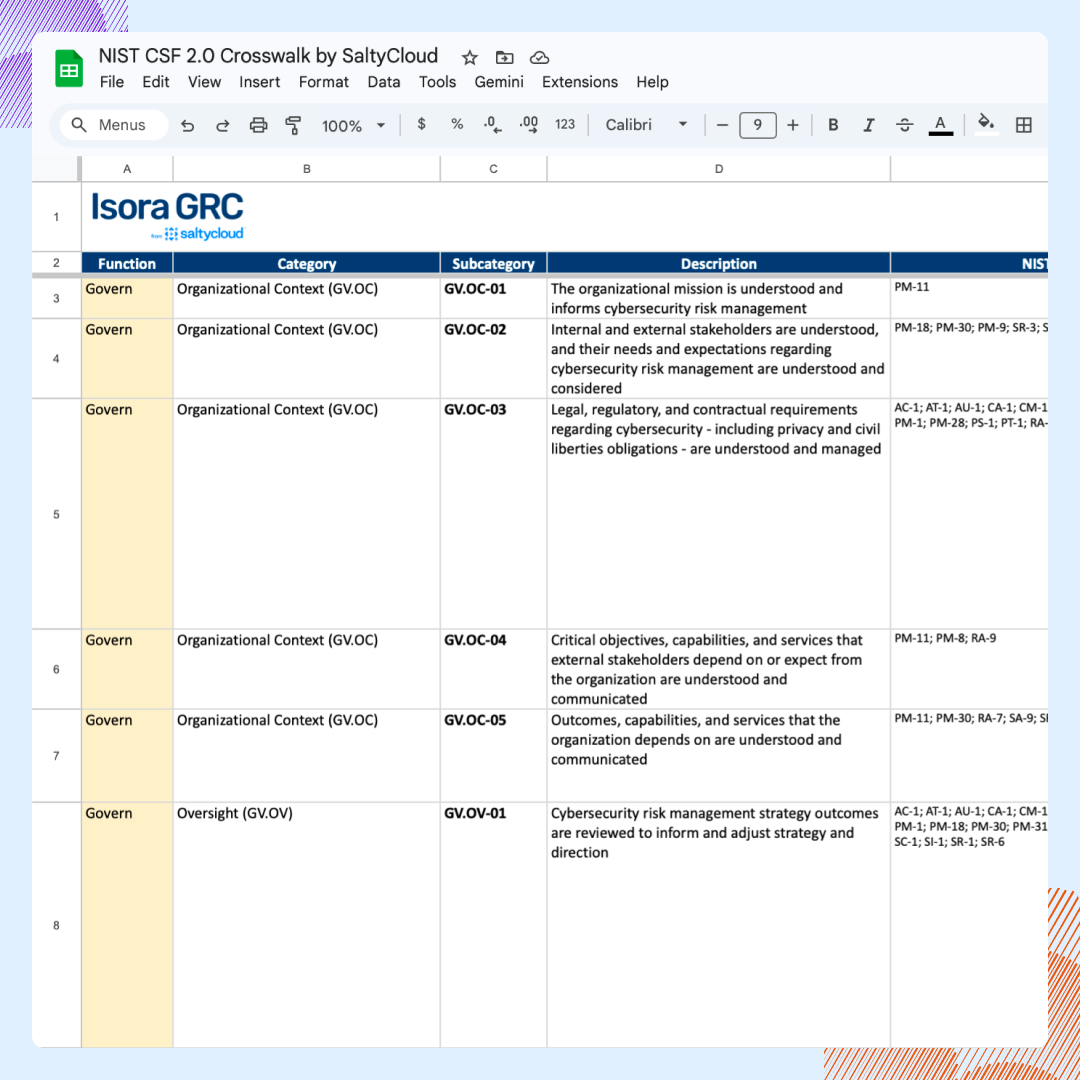
Map CIS Controls v8 across NIST CSF 2.0, NIST 800-53, NIST 800-171, ISO 27001, and SCF. Identify unmapped requirements, avoid reassessment for overlapping controls, and see where existing evidence can support more than one framework.
Access the NIST CSF 2.0 Multi-Framework Crosswalk →
What Is CIS Controls v8?
CIS Controls v8 is the 2021 release of the CIS Critical Security Controls, the Center for Internet Security’s (CIS) prioritized set of security controls. The CIS Controls v8 update changed the framework to better reflect how modern organizations actually work, in the cloud, on mobile devices, and from home.
To get there, the update made five big changes.
- Fewer Controls: CIS merged Controls in overlapping areas to reduce the count from 20 to 18 for a shorter top-level structure, while preserving the framework’s core security outcomes.
- Safeguards instead of Sub-Controls. v8 replaced Sub-Controls with 153 Safeguards. Each Safeguard defines one specific action a team can implement, measure, or verify.
- Implementation Groups (IGs): CIS Controls v8 sorted the framework’s 153 Safeguards into three Implementation Groups — IG1, IG2, and IG3. Each group includes a selection of Safeguards from all 18 Controls based on an organization’s risk, data sensitivity, and security resources.
- Controls grouped by security activities. CIS replaced the earlier device-ownership structure with an activity-based structure to make each Control consistent across data centers, cloud services, and employee devices.
- A new Service Provider Management Control. The new Control guides organizations in evaluating and managing cloud providers and other vendors that handle their data or systems, making third-party risk a standalone part of the framework for the first time.
CIS Controls v8 is a version update to the CIS Critical Security Controls, released on May 18, 2021. It reorganized the framework by activity, reduced 20 CIS Controls to 18, and established 153 Safeguards. CIS Controls v8.1 was released in June 2024 and is the most current version.
| Before v8 (v7.1) | CIS Controls v8 | CIS Controls v8.1 | |
|---|---|---|---|
| Control Count | 20 | 18 | 18 |
| Organizing principle | Device-management responsibility | Security activity | Security activity |
| Safeguards | Earlier Sub-Control structure | 153 Safeguards | 153 Safeguards |
| New Control | None | Service Provider Management | No new Control; retains Service Provider Management |
Because CIS Controls v8 organizes its 153 Safeguards into three Implementation Groups, teams can plan CIS Controls assessments and implement Safeguards in stages, rather than all at once.
To start, CIS recommends the 56-Safeguard IG1 baseline for “essential cyber hygiene.” IG1 covers the basic practices that teams with limited cybersecurity resources can put in place to stay operational while fending off non-targeted attacks. From there, organizations can add IG2 and IG3 Safeguards as their system complexity, data sensitivity, risk, and resources change.
Is CIS Controls v8 the Current Version?
CIS Controls v8 is no longer the current version, replaced by v8.1 in June, 2024. However, since v8.1 kept the same structure — 18 Controls and 153 Safeguards — teams already running v8 can carry existing assessments into v8.1, as opposed to starting over.
Inside CIS Controls v8: 18 Controls, 153 Safeguards, Three Implementation Groups
CIS Controls v8 contains 18 Controls and 153 Safeguards prioritized across three Implementation Groups that further define the actions and priorities in detail. Each layer serves a different purpose:
- Control: Top-level security outcomes numbered 1 through 18 that define an area of cyber defense.
- Safeguard: Specific actions an organization implements, measures, and supports with evidence.
- Implementation Group: A prioritized set of Safeguards mapped to an organization’s risk profile and resources.
The three Implementation Groups accumulate across all 18 Controls:
- IG1 — 56 Safeguards: CIS defines IG1 as essential cyber hygiene and the starting point for every enterprise on its official IG1 page.
- IG2 — 74 additional Safeguards: IG2 adds to IG1, bringing the running total to 130.
- IG3 — 23 additional Safeguards: IG3 includes all 153 Safeguards.
Because implementation Groups are cumulative, selecting IG2’s 74 Safeguards also means implementing another 56 from IG1. Meanwhile, IG3 includes all 153.
Both CIS Controls v8 and v8.1 contain the same 153 Safeguards. When choosing an Implementation Group, the real question is how much of the CIS Controls an organization wants to take on.
The 18 CIS Controls in v8, at a Glance
There are 18 CIS Controls in v8, starting with inventory and control of enterprise assets and ending with penetration testing. In its official list, CIS publishes the current names and the order, which stays the same in both v8 and v8.1.
| # | Control |
|---|---|
| 1 | Inventory and Control of Enterprise Assets |
| 2 | Inventory and Control of Software Assets |
| 3 | Data Protection |
| 4 | Secure Configuration of Enterprise Assets and Software |
| 5 | Account Management |
| 6 | Access Control Management |
| 7 | Continuous Vulnerability Management |
| 8 | Audit Log Management |
| 9 | Email and Web Browser Protections |
| 10 | Malware Defenses |
| 11 | Data Recovery |
| 12 | Network Infrastructure Management |
| 13 | Network Monitoring and Defense |
| 14 | Security Awareness and Skills Training |
| 15 | Service Provider Management |
| 16 | Application Software Security |
| 17 | Incident Response Management |
| 18 | Penetration Testing |
Each Control name clearly states the security area it covers, so topics are easy to find. For example:
- Asset inventories (Controls 1 and 2): Teams cataloging devices use Control 1 for enterprise assets and Control 2 for software assets.
- Account and access reviews (Controls 5 and 6): Control 5 covers creating, updating, and disabling accounts. Control 6 covers which users can access specific systems and data.
- Audit logging (Control 8): Teams building a logging process use Control 8 for collecting, reviewing, and retaining audit logs.
- Network security (Controls 12 and 13): Control 12 covers managing network infrastructure. Control 13 covers monitoring network activity and defending against threats.
Teams that want to start with assets can use the CIS Controls v8.1 asset inventory guide, which walks through how to classify and manage them.
CIS Controls v8 or v8.1: Which Version to Use
Which CIS Controls version to use depends on the organization, but most experts recommend starting with CIS Controls v8.1, since it’s the most current. It keeps v8’s core structure, with a few targeted updates:
- New asset class: CIS added Documentation as an asset type covering plans, policies, processes, and procedures.
- Safeguard descriptions: CIS reworded some Safeguards so teams can tell exactly what each one asks for.
- Updated mappings: CIS realigned its security function mappings to match NIST CSF 2.0.
- Govern function: CIS introduced a new Govern function to align with NIST CSF 2.0**,** covering program policies, roles, and ownership.
Teams can update a completed or in-progress CIS Controls v8 assessment by carrying its existing records into v8.1 and reviewing them against the newer version.
However, before moving v8 evidence or assessment notes into v8.1, check the parts of v8.1 that changed. That way, nothing carries forward under outdated wording:
- Safeguard descriptions: Compare revised or clarified descriptions with existing notes to confirm the evidence still addresses each Safeguard.
- Asset classes: Account for the Documentation asset class, which covers plans, policies, processes, procedures, diagrams, and other written material.
- Mappings: Review the realigned NIST CSF 2.0 mappings, including the Govern security function.
To make the process easier, CIS offers two resources:
- The official v8.1 Change Log, which lays out every change in one place and helps organizations update tools or processes built around v8.
- The official download page, where CIS still keeps v8 and v7.1.
Organizations can use earlier versions to check older requirements, keep legacy records, or compare the versions side by side before moving to v8.1.
Where to Get the Official CIS Controls v8 Documents
The official CIS Controls v8 files are free to download from the Center for Internet Security’s official website. After completing a short form with their contact and company details, teams will receive a download. It includes:
- PDF Guide: The complete CIS Controls v8 Guide and its 153 Safeguards.
- Excel workbook: CIS Controls v8 in spreadsheet format.
- Change Log: A record of what changed from CIS Controls v7.1 to v8.
- Implementation Group assignments: The v8 Safeguards included in IG1, IG2, and IG3.
The download page also provides v8.1, v8, v7.1, and older releases.
Under the CIS terms of use, organizations can use the Controls to improve their own cybersecurity. The rules are stricter for commercial uses, such as customer-facing tools and consulting services, which require CIS’s prior approval or an appropriate CIS membership. And no one can distribute a modified version of the Controls, with or without approval.
In short, the restrictions cover how the Controls get sold or repackaged, not how an organization uses them internally.
Most of the key information on CIS Controls comes from a few official CIS sources:
- CIS Controls v8: The predecessor release page and download route.
- CIS Controls hub: The framework landing page featuring the current release.
- The 18 CIS Controls: The current names and descriptions in order.
- CIS Controls v8 Change Log: The documented changes from v7.1 to v8.
To measure each Safeguard, assessment teams can use the CIS Controls Assessment Specification (CAS), which lists measures and metrics for every Safeguard. CIS publishes separate versions for v8 and v8.1, so teams can choose the version that matches their assessment.
Meanwhile, CIS also publishes the Controls in OSCAL (Open Security Controls Assessment Language), a machine-readable format that software can import directly. The original CIS Controls OSCAL repository is archived, but it links to the project’s current location.
How to Simplify CIS Controls v8 Assessments
Simplifying a CIS Controls v8 assessment means keeping Safeguard owners, responses, evidence, findings, and risks connected after the Implementation Group is chosen. A v8 assessment can cover up to 153 Safeguards, several contributors, and many evidence files, so a single change often means updating several spreadsheets and documents by hand.
Moving to CIS Controls v8.1 adds work — a review of the changed Safeguard descriptions, asset classes, and mappings before teams carry existing records forward. A governance, risk, and compliance (GRC) platform keeps all of it in one system, so each assessment can build on the one before it.
Isora GRC simplifies CIS Controls v8 assessments by keeping Safeguard responses, evidence, findings, risks, and reports in one connected workspace.
See the GRC Assessment Platform™ in action →
Assessment Management
Keep CIS Controls v8 assessments on schedule with CIS-aligned campaigns organized by compliance goal and progress updates all in one dashboard. In Isora, teams can see status, participation, reminders, deadlines, and responses, so everyone knows what’s already done and if anything is still missing.
Learn more about Assessment Management with Isora GRC →
Questionnaires & Surveys
Collect complete, reviewable CIS Controls v8 responses with framework-aligned questionnaires that let users attach evidence to each answer and route submissions for approval. In Isora, every response stays linked to its comments, acknowledgments, evidence, and approval record, so reviewers get the full assessment history all in one place.
Learn more about Questionnaires & Surveys with Isora GRC →
Reports & Scorecards
Show leaders and auditors exactly where a CIS Controls v8 assessment stands withscorecards and reports generated by response data. In Isora, teams can track assessment progress and results, compare scores across departments, and drill down in to individual responses, comments, and evidence.
Learn more about Reports & Scorecards with Isora GRC →
Risk Management
Remediate CIS Controls v8 findings by publishing them to a risk register, assigning owners, and tracking each item through closure. In Isora, risks retain their source assessment, mapped Control, owner, affected asset, and remediation context, so teams can prioritize gaps and demonstrate progress.
Learn more about Risk Management with Isora GRC →
Key Takeaways
CIS published CIS Controls v8 on May 18, 2021, reducing the framework from 20 Controls to 18 and organizing them around security activities. Those Controls contain 153 Safeguards prioritized through three Implementation Groups — IG1, IG2, and IG3 — with every enterprise starting from IG1’s 56 Safeguards.
Still, managing CIS Controls v8 requires teams to coordinate up to 153 Safeguards, multiple owners, evidence files, findings, and remediation records.
A GRC Assessment Platform™ like Isora GRC keeps that work connected in one workspace, making progress easier to track and assessment records easier to maintain. That way, when teams transition to v8.1, they can use existing responses, evidence, and findings to fill out Safeguard descriptions, asset classes, and mappings.
See how Isora GRC supports CIS Controls compliance →
CIS Controls v8 FAQs
How many controls are in CIS Controls v8?
CIS Controls v8 contains 18 top-level Controls and 153 Safeguards. The Controls cover core security areas such as assets, access, data protection, vulnerabilities, logging, networks, service providers, incident response, and penetration testing. CIS reduced the previous 20-Control structure by organizing v8 around security activities, making the framework easier to apply across cloud services, mobile devices, and remote work.
When was CIS Controls v8 released?
CIS Controls v8 was released on May 18, 2021. CIS confirms the date in its official release announcement and v8 Change Log.
Why did CIS reduce the CIS Controls from 20 to 18 in v8?
CIS reduced the Controls from 20 to 18 in v8 by combining Controls that overlapped and organizing them around security activities, making the Controls easier to apply across cloud services, mobile devices, remote work, and traditional infrastructure alike.
Is CIS Controls v8 still current?
CIS Controls v8 is no longer the current version. CIS replaced it with v8.1 in June 2024. Organizations starting a new assessment or implementation can begin with v8.1. Because both versions include the same 18 Controls and 153 Safeguards, existing v8 work can also carry over into a v8.1 assessment.
Does CIS Controls v8.1 have more Safeguards than v8?
CIS Controls v8.1 has the same 153 Safeguards as v8. CIS revised the Safeguard descriptions, asset classes, and mappings, and it added the Govern security function to align with NIST CSF 2.0, all while retaining v8’s structure intact.
Where can organizations download the official CIS Controls v8 PDF and Excel files?
Organizations can download the official CIS Controls v8 PDF, Excel workbook, Change Log, and Implementation Group material from CIS’s download page. To access the files, organizations fill out a short registration form with basic contact and company details.
Is there a CIS Controls v9?
As of September 2026, CIS hasn’t announced a v9. Its official Controls hub, release page, and Controls list all still name v8.1 as the current version.
Can organizations earn CIS Controls v8 certification?
No, organizations cannot earn a CIS Controls v8 certification just for adopting the framework. CIS does offer CIS Controls Accreditation, but it’s only for eligible service providers. Under CREST standards, it recognizes providers that offer CIS Controls implementation, auditing, or assessment services to their customers.

This content is for informational purposes only and does not constitute legal or compliance advice. See our full disclaimer.
