




 Table of Contents
- Third-Party Risk Management Software: Tools, Platforms & How to Choose
- What Is Third-Party Risk Management Software?
- What to Look for in TPRM Software
- TPRM Software vs Tools vs Platforms vs Solutions
- Best Third-Party Risk Management Software
- Continuous Third-Party Risk Monitoring
- IT and Vendor Risk Management Tools
- Regulations and Standards That Drive TPRM Software
- How to Simplify Third-Party Risk Management
- Key Takeaways
- TPRM Software FAQs
Third-Party Risk Management Software: Tools, Platforms & How to Choose
Third-party risk management (TPRM) software is the system a security program uses to assess, score, and monitor vendor risk at scale. The demand for such tools is rising as third-party risk grows and manual GRC work becomes increasingly hard to scale.
This guide explains what TPRM software does, what to look for in a product, how the tool categories differ, and how to evaluate the market. For a high-level overview, see our third-party risk management guide. Or, check out the best IT vendor risk management software for a decision-stage companion.
What Is Third-Party Risk Management Software?
Third-party risk management software is the system of record a security team uses to run the vendor risk lifecycle in one place. It manages the stages a program already runs, from intake, tiering, and assessment through mitigation, monitoring, and offboarding. Running those stages in one place lets teams distribute scoped assessments, collect evidence, and score risk consistently. Teams can also see the status of every vendor and finding at a glance.
Third-party risk management (TPRM) software automates how organizations assess, score, and monitor vendor and supplier risk. It distributes questionnaires, collects evidence, tracks findings to remediation, and reports on risk across the vendor lifecycle, replacing manual spreadsheet-and-email workflows.
Put simply, TPRM software is the operational layer of a third-party risk program.
- The framework defines what to assess and how to tier vendors.
- The software runs that policy at scale across every vendor and assessment cycle.
Demand for these tools keeps climbing as third-party risk grows. More specifically, third parties were involved in 48% of breaches in Verizon’s 2026 DBIR, up 60% year over year. Handling that volume quickly outgrows manual methods. A vendor list tracked by one person in a spreadsheet becomes unmanageable as questionnaire distribution and evidence chasing pile up.
TPRM software automates the parts that break down so a program can manage third-party risk at scale. The Gartner Market Guide for Third-Party Risk Management Technology Solutions offers a free, independent overview of the TPRM technology market to ground the buying decision.
Free download: Score your third-party risk program across five dimensions with the TPRM Maturity Checklist.
What to Look for in TPRM Software
A few core capabilities determine whether TPRM software fits a program. Weigh them against how the program runs today:
- Tier-based questionnaire scoping: Send each vendor the right depth of assessment by risk tier, not the same form to everyone.
- A standardized question library: Support for recognized questionnaires (SIG, CAIQ, HECVAT) so teams do not rebuild questions by hand.
- Evidence collection: Gather and store SOC 2 reports, certifications, and policies alongside the responses they support.
- Consistent risk scoring: Turn findings into rated, comparable risks so “high” means the same thing across vendors.
- Continuous monitoring: Keep the risk picture current between assessments, whether through external security-rating feeds or live visibility into assessments and the risk register.
- Remediation tracking: Assign each risk an owner, plan, and status so findings close instead of piling up.
- Audit-ready reporting: Produce the evidence an auditor, customer, or board asks for without a manual scramble.
- Integrations: Connect to the systems where vendors and tickets already live.
These capabilities matter most against how a program works today. Software that automates an undefined process just makes the gaps faster. Get the program and framework right first, then choose software to scale it.
A practical way to shortlist is to start from the biggest constraint.
- A team drowning in questionnaire chasing should weigh assessment automation and the standardized-questionnaire library.
- A team that learns about incidents too late should weigh continuous monitoring.
- When audits are the pain, reporting and evidence management carry the most weight.
Score two or three finalists against those weighted criteria, then pilot each on a handful of real vendors. The gap between a polished demo and how a tool handles a messy vendor list is where most buyer’s remorse starts.
TPRM Software vs Tools vs Platforms vs Solutions
The labels software, tools, platforms, and solutions use often describe different scopes of the same job. The distinctions matter when scoping a purchase:
- Point tools solve one slice, such as security ratings or questionnaire automation. They are lighter to adopt but leave gaps to fill elsewhere.
- TPRM platforms run the whole lifecycle in one system of record: assessment, scoring, monitoring, and reporting. They take more to implement and give one source of truth.
- GRC platforms with TPRM modules fold third-party risk into broader governance, risk, and compliance workflows. They fit organizations managing TPRM alongside internal risk and compliance.
- Managed services (“TPRM as a service”) run assessments on the buyer’s behalf. They help when staff is short, at the cost of some control.
“Software,” “solutions,” and “tools” get used interchangeably across all of these, so what matters more for a shortlist is scope. The question is how much of the lifecycle a given option covers, and how much work stays manual or lives in another system.
The categories also imply different data philosophies.
- Security-ratings tools lead with external data, meaning what the internet can observe about a vendor’s posture. That data is fast to stand up and needs no vendor cooperation, but it cannot see inside a vendor’s controls.
- Questionnaire and platform tools lead with attested data, meaning what the vendor reports and backs with evidence. That data runs deeper but slower and depends on vendor responsiveness.
The strongest programs use both, with external signal prioritizing and monitoring while attested evidence assesses depth. Knowing which philosophy a tool is built around signals what it will and will not do well.
Best Third-Party Risk Management Software
No single tool is best for every program. The right choice depends on whether an organization needs full-lifecycle TPRM, external security ratings, deep questionnaire management, or a module inside an existing GRC suite.
The table below maps the platforms buyers evaluate most often against the dimensions that differentiate them. It reflects each vendor’s current public positioning, verified June 2026.
| Tool | Category | Automated assessments | Continuous monitoring / ratings | Standardized questionnaires (named) | Best for |
|---|---|---|---|---|---|
| Isora GRC (SaltyCloud) | GRC Assessment Platform™ — assessment-first TPRM | Yes | Yes — internal monitoring via live dashboards, scorecards, and a risk register (not an external ratings feed) | Prebuilt for NIST, CIS, HIPAA, GLBA (customizable) | Security and GRC teams running assessment-first third-party risk with connected vendor/asset inventory and a live risk register |
| ProcessUnity | Dedicated TPRM platform + risk-data exchange | Yes | Yes (Risk Index score) | SIG | Best-of-breed TPRM with standardized questionnaires and data-driven risk scores |
| Prevalent (Mitratech) | Full TPRM platform within Mitratech’s GRC suite | Yes | Yes | SIG, SIG Lite, ISO 27001, NIST and others as mapping targets | Mid-to-large enterprises wanting integrated TPRM + monitoring under a broader GRC brand |
| OneTrust Third-Party Management | TPRM within a broader trust/compliance platform | Yes (AI-assisted) | Yes (with reassessment triggers) | Not named | Enterprises consolidating third-party risk into a wider trust/compliance suite |
| ServiceNow Third-party Risk Management | VRM module within ServiceNow GRC | Yes (via SIG integration) | Yes | SIG | Organizations already on ServiceNow wanting VRM unified with GRC/IT workflows |
| SecurityScorecard | Security-ratings-driven TPRM platform | Yes | Yes (security ratings) | SIG Lite, SIG Core | Managing third-party risk at scale with external monitoring + automated assessments |
| BitSight | Security-ratings tool with TPRM solutions | Yes (AI questionnaire automation) | Yes (security ratings) | SIG, CAIQ, HECVAT (AI-automated assessments mapped to NIST CSF 2.0, ISO 27001 and more) | Externally-validated continuous cyber ratings to complement a TPRM workflow |
| UpGuard | TPCRM platform: continuous scanning + AI-assisted questionnaires | Yes | Yes | NIST, ISO, SIG, and regional regulations | Combining continuous monitoring with AI-assisted questionnaires across many vendors |
| Panorays | Third-party cyber-risk + attack-surface platform | Yes | Yes | SIG, CAIQ | Complex multi-tier supply chains needing third- and Nth-party visibility |
| Whistic | Questionnaire-centric TPRM + vendor assessment exchange | Yes | Yes (via RiskRecon) | SIG, ISO, CAIQ, HECVAT | Standardizing, reusing, and sharing questionnaire-based assessments |
| Vanta | Compliance-automation platform with a TPRM product/add-on | Yes (AI-assisted) | Yes | Not named | Teams already running Vanta for compliance automation wanting integrated third-party risk |
Several patterns stand out. First:
- Security-ratings tools lead with continuous external monitoring.
- Questionnaire-centric platforms lead with standardized assessment workflows.
- Full TPRM platforms blend both to varying degrees.
But standardized-questionnaire support is not universal. In fact, vendors differ in which specific standards they name and where they publish that support. So, if reusing a recognized questionnaire matters, verify support explicitly first.
Analyst references for the category include the Gartner Market Guide for TPRM and Gartner’s first Magic Quadrant for TPRM Tools (April 2026). Forrester covers the same market in the Forrester Wave for Third-Party Risk Management Platforms, Q1 2026.
For the decision-stage comparison, see the best IT vendor risk management software guide and head-to-head breakdowns like UpGuard vs. Whistic vs. Isora GRC.
Continuous Third-Party Risk Monitoring
Continuous monitoring keeps information about third-party risk current between assessments, and how much it matters depends on the program.
- For teams exposed to fast-moving external threats, it ranks near the top.
- For programs where assessment depth or audit reporting is the bigger constraint, other capabilities carry more weight.
A vendor’s posture drifts continuously through breaches, expired SOC 2 reports, degraded security ratings, and ownership changes. Continuous third-party risk monitoring closes that gap. It feeds between-assessment signal into the risk picture so a change surfaces as soon as it happens, even between assessment cycles.
Monitoring takes two forms, and the difference shapes which tools fit a program.
- External monitoring watches a vendor’s public posture through security-ratings feeds and breach signals.
- Internal monitoring keeps the program current through live dashboards, scorecards, and a risk register that update as responses and remediation come in.
Effective programs often combine both forms to balance speed and depth. But evaluating tools also means looking past “we have monitoring.” Focus on three factors instead:
- Coverage: Which vendors the tool can actually observe.
- Signal types: Whether it catches breaches, expired certifications, and posture changes, or only externally-scannable issues.
- Noise: Whether it surfaces prioritized, actionable alerts or a firehose teams learn to ignore.
Monitoring that generates alerts nobody acts on is worse than none, because it manufactures false confidence. Learn more about how monitoring fits alongside point-in-time assessment in the vendor risk assessment guide.
IT and Vendor Risk Management Tools
IT vendor risk management is third-party risk management applied specifically to a company’s IT and software vendors. These are often called “vendor risk management (VRM) tools,” though Gartner’s 2026 Magic Quadrant names the category Third-Party Risk Management Tools.
The scope is narrowed to vendors, typically software and IT service providers, but the capabilities are the same: scoped assessment, evidence, scoring, monitoring, and reporting.
For programs focused on the IT and software vendors with access to their systems and data, VRM tooling and TPRM platforms tend to overlap heavily. Often, the deciding factor is whether non-IT third parties also need managing under the same roof.
Regulations and Standards That Drive TPRM Software
Regulatory expectations are a major reason third-party risk moved from manual tracking to dedicated software. The specific drivers vary by sector.
Financial Services
Financial services and credit unions face the most prescriptive requirements. The 2023 Interagency Guidance on Third-Party Relationships from the OCC, FDIC, and Federal Reserve sets a five-stage relationship lifecycle: planning, due diligence, contract negotiation, ongoing monitoring, and termination. That lifecycle maps directly onto what TPRM platforms automate.
The agencies’ May 2024 Third-Party Risk Management: A Guide for Community Banks walks smaller institutions through applying that lifecycle in practice. The FFIEC Outsourcing Technology Services booklet remains the standing examination benchmark. For credit unions, NCUA Supervisory Letter 07-01 still governs, reinforced by the October 2024 letter on cybersecurity oversight and its vendor-contract and incident-reporting expectations.
Public sector and software supply chain programs anchor to the NIST Risk Management Framework (RMF). The RMF is the controls-based process that federal agencies use to categorize systems, select and assess controls, and monitor risk. Revision 2 folded supply chain risk management into that process. These programs also draw on CISA’s 2024 Software Acquisition Guide for Government Enterprise Consumers, which frames vendor due diligence as structured control questions.
Public companies answer to the SEC’s 2023 cybersecurity disclosure rules. Regulation S-K Item 106(b) requires disclosing whether a company has processes to oversee and identify cybersecurity risks tied to its use of third-party service providers, a direct pull toward documented, defensible vendor oversight. The SEC’s May 2024 Regulation S-P amendments reinforce that pull, requiring covered financial firms to oversee service providers through due diligence and monitoring as part of a written incident-response program.
Higher education relies on the HECVAT, currently version 4.1.6, as its community assessment standard. Any program with EU exposure also inherits third-party obligations under DORA, which requires a register of ICT third-party arrangements and oversight for financial entities. NIS2 makes supply chain security a core requirement for essential and important entities. Software that maps assessments to these frameworks turns compliance from a manual mapping exercise into a repeatable one.
How to Simplify Third-Party Risk Management
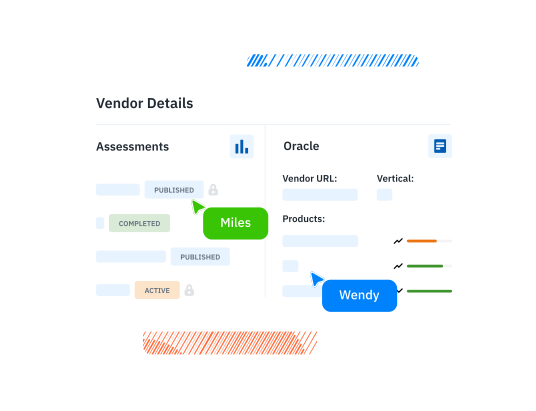
Most teams manage third-party risk across disconnected point tools and manual trackers. Isora GRC is the GRC Assessment Platform™ that gives security teams one workspace to run assessments, manage vendors and assets, track risk, and report.
See how Isora GRC supports TPRM →
Questionnaires and Surveys
Send user-friendly questionnaires that multiple contributors can complete together, uploading evidence, commenting, and acknowledging each question as they go. Route responses for approval and sign-off, apply logic flows that adapt the questions to each vendor, and weight scoring so the riskiest gaps stand out. Launch from prebuilt, customizable templates for frameworks such as NIST, CIS, HIPAA, and GLBA.
Assessment Management
Organize, track, and manage every assessment from one unified dashboard that updates with live progress as vendors respond. Group assessments into series by compliance goal to run large campaigns as a single effort, and read participation metrics and per-target scoring reports to see exactly where each vendor stands. Set built-in notifications and reminders that keep deadlines on track.
Connected Vendor and Asset Inventory
Keep assets, vendors, and applications together in one connected inventory. Track each vendor product deployment by owning unit, users, and data classification, update records in the interface or automatically through API integrations, and attach documents or link records straight to the assessments that cover them. Search, filter, and export the full inventory to CSV or PDF as the program grows. Because the inventory shares a workspace with assessments, vendor risk stays tied to the questionnaires and findings behind it.
Risk Register and Reporting
Publish risks directly from any assessment with full context, then manage them in a shared register with owners, assignees, units, and custom fields. Prioritize with a risk matrix and score-distribution widgets that surface the highest-risk gaps first. Generate scorecards and reports automatically, drill into individual responses with their evidence and comments, and export audit-ready results to PDF or CSV in one click.
Key Takeaways
The first move is to match the tool to how the program runs. TPRM software exists to scale the assessment, scoring, monitoring, and reporting that break down in a manual tracker.
Define the framework and program first, then choose software to scale it. Start the buying decision with the Gartner Market Guide for TPRM for an independent view of the market.
See the GRC Assessment Platform™ in action →
TPRM Software FAQs
What is third-party risk management software?
TPRM software automates how organizations assess, score, and monitor vendor and third-party risk. It distributes questionnaires, collects evidence, tracks findings to remediation, and reports across the vendor lifecycle, replacing manual spreadsheet-and-email workflows.
What should I look for in TPRM software?
The core criteria are tier-based questionnaire scoping, a standardized question library (SIG, CAIQ, HECVAT), evidence management, and consistent risk scoring. Continuous monitoring, remediation tracking, audit-ready reporting, and integrations with existing systems round out the list.
What’s the difference between a TPRM tool and a platform?
A tool typically solves one slice, such as security ratings or questionnaire automation. A platform runs the whole lifecycle in one system of record: assessment, scoring, monitoring, and reporting. Platforms cost more to implement and consolidate the program.
How much does TPRM software cost?
Pricing varies widely by vendor count, capabilities, and whether the purchase is a point tool, a full platform, or a managed service. Most vendors quote based on specific scope.
Is there free TPRM software?
Free options are mostly limited to templates and standardized questionnaires, such as a downloadable assessment template or the SIG, rather than full platforms. They are a reasonable starting point for a small program but hit the same scaling limits as spreadsheets.
What’s the best TPRM software?
There is no single best option. The right tool depends on the vendor population and the risk types in scope. It also depends on whether the program needs full lifecycle coverage or a point capability, and on how it fits the existing GRC stack. Use the criteria above to shortlist, then compare specific products on the comparison page.

This content is for informational purposes only and does not constitute legal or compliance advice. See our full disclaimer.
 Other Relevant Content