





 Table of Contents
- CIS Controls: What They Are and How to Implement Them
- What Are the CIS Controls?
-
The 18 CIS Controls
- CIS Control 1: Inventory and Control of Enterprise Assets
- CIS Control 2: Inventory and Control of Software Assets
- CIS Control 3: Data Protection
- CIS Control 4: Secure Configuration of Enterprise Assets and Software
- CIS Control 5: Account Management
- CIS Control 6: Access Control Management
- CIS Control 7: Continuous Vulnerability Management
- CIS Control 8: Audit Log Management
- CIS Control 9: Email and Web Browser Protections
- CIS Control 10: Malware Defenses
- CIS Control 11: Data Recovery
- CIS Control 12: Network Infrastructure Management
- CIS Control 13: Network Monitoring and Defense
- CIS Control 14: Security Awareness and Skills Training
- CIS Control 15: Service Provider Management
- CIS Control 16: Application Software Security
- CIS Control 17: Incident Response Management
- CIS Control 18: Penetration Testing
- Implementation Groups: How CIS Prioritizes Controls
- Why the CIS Controls Matter
- Are the CIS Controls Required? Regulation, Mappings, and Certification
- Which Version of the CIS Controls Is Current?
- CIS Controls vs CIS Benchmarks: Two Different CIS Publications
-
How to Implement the CIS Controls
- Step 1 — Obtain the CIS Controls and Resources
- Step 2 — Scope by Asset Class
- Step 3 — Choose an Implementation Group Deliberately
- Step 4 — Assess Against the Safeguards
- Step 5 — Sequence by Risk Reduction
- Step 6 — Give Each Safeguard a System of Record
- Step 7 — Document Every Exception
- Step 8 — Reassess on a Cycle
- Mistakes Teams Make With the CIS Controls
- How to Simplify CIS Controls Assessment and Evidence Collection
- Key Takeaways
-
CIS Controls FAQs
- What does CIS stand for in cybersecurity?
- How many CIS Controls are there?
- What is the current version of the CIS Controls?
- Are the CIS Controls free?
- Is there a CIS Controls certification?
- Do the CIS Controls apply to cloud environments?
- What is the difference between the CIS Controls and CIS Benchmarks?
- What is the difference between the CIS Controls and the NIST Cybersecurity Framework?
CIS Controls: What They Are and How to Implement Them
The CIS Controls are 18 prioritized cybersecurity controls from the Center for Internet Security, a nonprofit that goes by CIS. Beneath the 18 sit 153 individual actions called Safeguards. CIS recommends every enterprise begin with a baseline tier of 56 of them.
But with three versions of the CIS Controls currently in circulation — v7.1, v8 and v8.1 — some teams are unsure whether any regulator actually requires them at all. This guide explains what the CIS Controls are, what they include, how CIS prioritizes them, who requires them, and where a first assessment starts.
What Are the CIS Controls?
The CIS Controls are a set of prioritized actions designed to protect organizations against the most common and dangerous cyberattacks. Developed and maintained by the nonprofit Center for Internet Security (CIS), they turn broad security goals into specific Safeguards that organizations can implement and prove. Because CIS ranks them by impact, teams can start with a high-value baseline and expand from there.
The CIS Controls are a prioritized set of 18 cybersecurity controls published by the Center for Internet Security. Formally the CIS Critical Security Controls, they break down into 153 Safeguards across three Implementation Groups. The current release is v8.1 (June 2024). CIS publishes them free, and no certification is issued to adopting organizations.
Behind the acronym is the Center for Internet Security, a 501(c)(3) nonprofit that describes itself as “an independent, nonpartisan, vendor-agnostic organization.” Starting in 2008, the Controls were developed by “an international, grass-roots consortium” of companies, government agencies, institutions and individuals. A practitioner community still maintains them today.
Formerly called the SANS Critical Security Controls (SANS Top 20), then the CIS Critical Security Controls, they are now officially the CIS Controls. The abbreviation CIS CSC and the informal “the CIS framework” point at that same publication, and there is no separate CIS framework.
Underneath each Control sit its Safeguards, the specific actions a team carries out and documents. The 18 Controls break down into 153 Safeguards, each a single instruction rather than a broad goal. For example, Safeguard 1.1 calls for a detailed inventory of enterprise assets, while Safeguard 6.3 requires multi-factor authentication for externally exposed applications.
CIS sorts all 153 Safeguards into the three Implementation Groups and tags each to an asset class. Those two labels decide which Safeguards a given enterprise implements first. Every assessment, score, and piece of evidence then attaches to an individual Safeguard, making it the unit that carries the work.
What the CIS Controls Cover
The Controls cover six asset classes that together set the scope of v8.1. CIS defines enterprise assets as anything that stores or processes data across “virtual, cloud-based, and physical environments.” That includes:
- Devices: The hardware an enterprise runs — end-user devices, servers, network devices, and non-computing or IoT devices.
- Software: The operating systems and applications on those devices, including the services, libraries, and APIs they contain.
- Data: The physical and digital information an enterprise stores, processes, or manages and has to keep private, accurate, and available.
- Users: Employees, contractors, vendors, and service providers authorized to reach an enterprise asset, along with their user, administrator, and service accounts.
- Documentation: Policies, processes, procedures, plans, and diagrams, physical or digital — added as an asset class in v8.1.
- Network: The interconnected devices that exchange data, plus the infrastructure and architecture that connect them.
The 18 CIS Controls
The 18 CIS Controls are the prioritized cybersecurity actions that make up CIS Controls v8.1, spanning asset inventory through penetration testing. Here they are, in the order CIS publishes them:
CIS Control 1: Inventory and Control of Enterprise Assets
Inventory and Control of Enterprise Assets means actively managing every device connected to the infrastructure across physical, virtual, remote, and cloud environments. That scope includes end-user and mobile devices, servers, network devices, and non-computing or IoT assets. A complete, current inventory gives a team the full picture of what needs monitoring and protection. It also surfaces unauthorized or unmanaged devices so they can be removed or remediated before an attacker reaches them.
CIS Control 2: Inventory and Control of Software Assets
Inventory and Control of Software Assets applies that same active management to every operating system and application on the network. The goal is a current software inventory in which only authorized programs can install and run. Unauthorized or unmanaged software gets detected and blocked before it executes.
CIS Control 3: Data Protection
Data Protection builds the processes and technical controls that identify, classify, securely handle, retain, and dispose of data. That coverage spans the full data lifecycle, keeping sensitive information private, accurate, and available. Classifying data first makes every later handling and disposal decision consistent.
CIS Control 4: Secure Configuration of Enterprise Assets and Software
Secure Configuration of Enterprise Assets and Software establishes and maintains hardened settings across devices, servers, network devices, operating systems, and applications. Those secure baselines replace the insecure defaults that most products ship with. Maintaining them over time keeps configuration drift from reopening known weaknesses.
CIS Control 5: Account Management
Account Management assigns and manages the credentials tied to user, administrator, and service accounts across enterprise assets and software. Handling accounts through their full lifecycle, from creation to removal, limits the credentials an attacker can abuse. Dormant and orphaned accounts are a frequent entry point, so this Control closes them out.
CIS Control 6: Access Control Management
Access Control Management creates, assigns, manages, and revokes the access privileges attached to user, administrator, and service accounts. The aim is least privilege, where each account reaches only the assets and data its role requires. Consistent granting and revocation keeps access aligned with current responsibilities.
CIS Control 7: Continuous Vulnerability Management
Continuous Vulnerability Management runs a plan to continuously assess and track vulnerabilities across every enterprise asset. Prompt remediation narrows the window an attacker has to exploit a known flaw. Monitoring public and private threat sources keeps the program current as new vulnerabilities appear.
CIS Control 8: Audit Log Management
Audit Log Management collects, alerts on, reviews, and retains logs of security-relevant events. Well-kept audit logs are what let a team detect an attack, understand how it unfolded, and recover from it. Retention matters as much as collection, since many intrusions come to light long after the fact.
CIS Control 9: Email and Web Browser Protections
Email and Web Browser Protections strengthen detection and defense across the two channels attackers use most. Both vectors give adversaries a direct path to manipulate people through phishing and malicious content. Hardening email and browsers cuts off a common route into the enterprise.
CIS Control 10: Malware Defenses
Malware Defenses prevent and control the installation, spread, and execution of malicious code on enterprise assets. Coverage includes applications, scripts, and other malware arriving through email, the web, removable media, or the network. Layered defenses stop malicious code before it can run or propagate.
CIS Control 11: Data Recovery
Data Recovery establishes and maintains recovery practices strong enough to restore in-scope assets to a trusted, pre-incident state. Reliable backups and tested procedures turn a ransomware or destructive event into a recoverable one. Regular testing confirms those backups actually restore when they are needed.
CIS Control 12: Network Infrastructure Management
Network Infrastructure Management actively tracks, reports on, and corrects network devices such as routers, switches, and firewalls. Keeping that infrastructure securely configured denies attackers the vulnerable services and access points they look for. Ongoing management also keeps architecture changes from quietly introducing risk.
CIS Control 13: Network Monitoring and Defense
Network Monitoring and Defense operates the processes and tooling for comprehensive monitoring across the enterprise network and user base. Watching traffic and activity lets a team detect and respond to threats as they move laterally. The Control sits in IG2 and above, reflecting the resources active defense takes.
CIS Control 14: Security Awareness and Skills Training
Security Awareness and Skills Training runs a program that shapes workforce behavior to reduce human-driven risk. Training helps staff recognize phishing, social engineering, and the everyday actions that expose the enterprise. A security-conscious, properly skilled workforce closes gaps that technology alone cannot.
CIS Control 15: Service Provider Management
Service Provider Management evaluates and monitors the third parties that hold sensitive data or run critical IT platforms and processes. Assessing these providers confirms they protect that data and infrastructure to the standard the enterprise requires. Ongoing oversight matters because a provider’s risk becomes the enterprise’s risk.
CIS Control 16: Application Software Security
Application Software Security manages the security lifecycle of software the enterprise develops, hosts, or acquires. Building security into design, development, and maintenance catches weaknesses before they reach production. Continuous testing and remediation keep those flaws from becoming an entry point.
CIS Control 17: Incident Response Management
Incident Response Management develops and maintains an incident response capability, including policies, plans, procedures, defined roles, training, and communications. A prepared program lets a team detect and respond to an attack quickly instead of improvising under pressure. Rehearsed plans and clear roles shorten the time between detection and containment.
CIS Control 18: Penetration Testing
Penetration Testing measures the effectiveness and resilience of enterprise assets by identifying and exploiting weaknesses across people, processes, and technology. Simulating a real attacker’s objectives reveals gaps that routine assessments miss. It sits at the top of the framework because it validates that the earlier Controls actually hold.
Each Control breaks down further into Safeguards, the individual actions a team implements and evidences. CIS also maintains its own list of the 18 Controls.
Implementation Groups: How CIS Prioritizes Controls
An Implementation Group (IG) is a selection of Safeguards drawn from across all 18 Controls and tailored to a type of enterprise. Each group is a cross-cutting set assembled from many Controls at once. CIS prioritizes the Controls through Implementation Groups, and its instruction is unambiguous. “Every enterprise should start with IG1.”
| Implementation Group (IG) | CIS Description | Safeguards |
| IG1 | “Essential cyber hygiene.” The starting point CIS names explicitly | 56, per SANS and a UC Berkeley CLTC case study |
| IG2 | Builds upon IG1. Enterprises that employ people who manage and protect IT infrastructure across departments with differing risk profiles | 130 (the 56 plus 74 more) |
| IG3 | “Comprised of all the Controls and Safeguards” | 153 (every Safeguard in the framework) |
The groups are prioritized Safeguard sets, not a maturity model. No auditor issues an IG rating, and nothing about IG1 amounts to “level 1 maturity.” However, one piece of vocabulary discipline does matter here. The term “Implementation Groups” belongs to the Controls, while “Level 1” and “Level 2” belong to the CIS Benchmarks.
CIS Implementation Group 1: IG1
IG1 is the 56-Safeguard entry point to the CIS Controls, the baseline every enterprise should implement first. CIS defines IG1 as “essential cyber hygiene,” and “the foundational set of cyber defense Safeguards that every enterprise should apply to guard against the most common attacks.” Its Guide to Implementation Groups calls IG1 “a minimum standard of information security.”
CIS profiles the IG1 enterprise as small to medium-sized, with limited IT and cybersecurity expertise and data of low sensitivity. That data mostly covers employee and financial information, so the IG1 Safeguards aim to thwart general, non-targeted attacks.
But the 56 IG1 Safeguards do not fall evenly across the 18 Controls. That uneven spread is what starting with IG1 actually looks like.
- Security Awareness and Skills Training contributes 8 of its 9 Safeguards.
- Data Recovery comprises 4 of its 5 Safeguards
- Secure Configuration makes up 7 of its 12 Safeguards.
- Network Monitoring and Defense, Application Software Security and Penetration Testing are not included.
A first IG1 scope therefore lands on inventory, account hygiene, configuration, backups and training.
CIS Implementation Group 2: IG2
IG2 builds on IG1 with 74 more Safeguards, 130 in total, and matches the operational complexity of an enterprise that employs people responsible for managing and protecting IT infrastructure. The added Safeguards pull in areas IG1 barely touches, including network monitoring and defense and application software security. Some of them depend on enterprise-grade technology and specialized expertise to install and configure.
CIS profiles the IG2 enterprise as one that supports multiple departments with differing risk profiles and often stores and processes sensitive client or enterprise information. It can withstand short interruptions of service, where a major concern is loss of public confidence after a breach.
But choosing a group usually depends on risk rather than headcount. CIS’s own IG2 description makes the point: “Small enterprise units may have regulatory compliance burdens. IG2 enterprises often store and process sensitive client or enterprise information.” Here, CIS identifies several escalation factors, including:
- Size and/or complexity
- Data types
- Resources and technology
- Threat types
- Risk
CIS Implementation Group 3: IG3
IG3 comprises all 153 Safeguards, adding the remaining batch on top of IG2. The 23 added Safeguards target sophisticated, targeted adversaries and reduce the impact of zero-day attacks.
CIS profiles the IG3 enterprise as one that employs security experts specializing in areas such as risk management, penetration testing, and application security. Such an enterprise holds assets and data subject to regulatory and compliance oversight. These enterprises must protect the availability of services alongside the confidentiality and integrity of sensitive data, since a successful attack can cause significant harm to the public welfare.
Why the CIS Controls Matter
The CIS Controls block most of the attack techniques seen in the real world today, with the entry-level tier delivering the bulk of that protection. In an analysis of the MITRE ATT&CK framework, a public knowledge base of adversary tactics and techniques, CIS’s Community Defense Model (CDM) v2.0 found:
- The CIS Controls defend against 86% of all ATT&CK (sub-)techniques.
- IG1 alone defends against 74%.
CIS describes IG1 as reachable with technology and processes that are generally already available, and adoption points the same way. Over the last few years, the Controls have passed 500,000 downloads, with nearly 70% of them by organizations outside the United States.
Behind both the coverage and the adoption is a deliberate design choice: prioritization is one of the framework’s stated principles. CIS’s Controls Assessment Specification documentation lists five critical tenets:
- Offense informs defense: Ground each Control in the tactics of real, observed attacks so defenses counter what adversaries actually do.
- Prioritization: Implement first the Controls that cut the most risk against the most dangerous threat actors and are realistic to deploy.
- Measurements and metrics: Share a common set of measures across executives, IT, auditors, and security teams to gauge how well defenses work.
- Continuous diagnostics and mitigation: Test defenses on an ongoing basis to confirm they hold and to set the priority of the next fixes.
- Automation: Automate the Controls so adherence can be measured reliably and at scale without constant manual effort.
Are the CIS Controls Required? Regulation, Mappings, and Certification
No statute names the CIS Controls as a requirement, and CIS says so itself. More specifically, its FAQ states that “the CIS Controls are not a replacement for any existing regulatory, compliance, or authorization scheme.” Instead, they are voluntary recommendations that support other obligations.
Adopting organizations cannot get CIS certified because no accredited pass or fail certificate is issued for implementing the Controls. Organizations can self-assess against the Controls, implement them, or align with them, but any binding effect comes from a contract or a regulator’s reference, not an enforcement body.
However, CIS does run an accreditation program for service providers with standards tied to CREST. Originally the Council of Registered Ethical Security Testers, CREST is now an international not-for-profit that accredits cybersecurity service providers.
CIS’s own FAQ states that “CIS Controls Accreditation offers CIS SecureSuite Product Vendor, Consulting & Services, and Controls Members the ability to provide CIS Critical Security Controls implementation, auditing, and/or assessment with the assurance that they have met the consistent and rigorous standards of CREST certification.”
How the CIS Controls Map to Other Frameworks
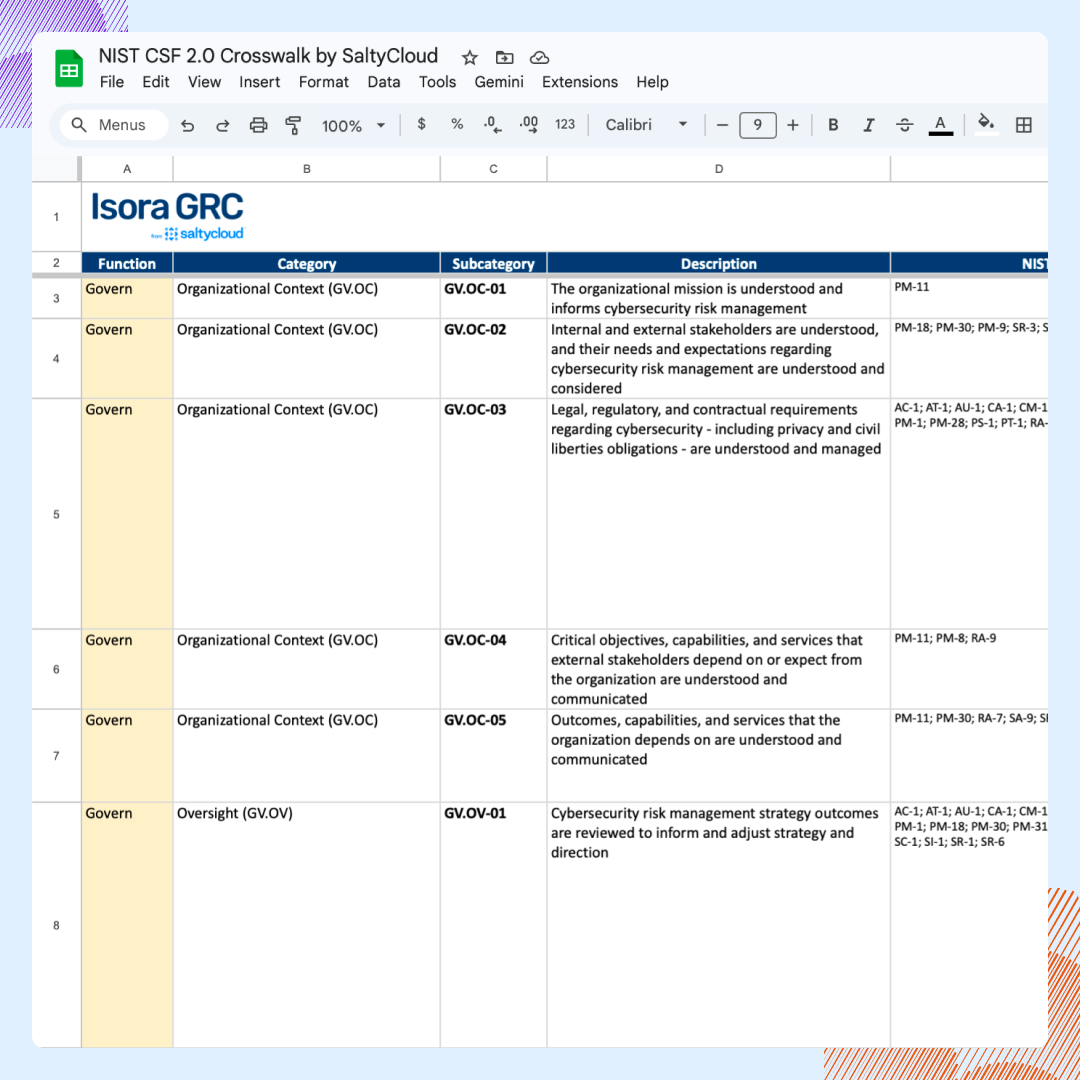
The Controls connect to other frameworks through published crosswalks, each of which pairs a CIS Safeguard with the matching requirement in another standard. CIS releases these mappings for free, as individual Microsoft Excel spreadsheets and through the interactive CIS Controls Navigator. The Navigator filters the Safeguards by Implementation Group and shows how each one maps across “over 25 different frameworks.” The named v8.1 mappings include:
- PCI DSS v4.0
- NIST CSF 2.0
- NIST SP 800-53 R5 (Low and Moderate Baseline)
- NIST SP 800-171 R2 and Rev 3
- HIPAA
- ISO/IEC 27001:2022
CIS also publishes a v8.1 mapping to CISA’s Cross-Sector Cybersecurity Performance Goals, which aligns the Controls to the federal baseline CISA recommends, and its FAQ names NERC CIP and FISMA.
Each mapping works at the Safeguard level. CIS labels every relationship by how closely the two sides align:
- Equivalent when they state the same thing
- Subset when the CIS Safeguard covers only part of the other requirement
- Superset when it reaches further
CIS says its mapping methodology aims to be “as specific as possible, leaning towards under-mapping versus over-mapping.” A listed match therefore reflects real overlap rather than a loose thematic link.
That precision is what makes the crosswalks useful in practice. An organization already aligned to NIST CSF or ISO/IEC 27001 can trace which CIS Safeguards its existing program already covers. It can then reuse that evidence and concentrate new effort on the gaps.
Alignment runs deepest with NIST CSF 2.0. CIS built v8.1 specifically to match it and added the Govern security function for that purpose. As SANS notes, this shared structure lets organizations adopt and report against multiple frameworks more easily.
A mapping still relates the intent of two controls while leaving scope and operating evidence open. Reading it as proof of implementation is a documented practitioner error. For the framework-by-framework view, see how the CIS Controls compare to NIST CSF and other frameworks.
Why Organizations Adopt the CIS Controls
Adoption pressure builds even where no law names the CIS Controls. Often, it arrives indirectly, carried by contracts, insurers, government policy, and neighboring frameworks that reference the Controls. The effect resembles a requirement without a statute behind it. Four channels carry most of that pressure:
- Cyber-insurance underwriting and supply-chain questionnaires: Insurers and business partners increasingly ask whether an organization implements the Controls. A SANS/GIAC white paper examines how underwriters can use the Controls to assess and rate cyber risk.
- Standard-of-care and “reasonable security” arguments: California’s 2016 Data Breach Report, issued by the state Attorney General, named the CIS Controls (then numbering 20) as defining “a minimum level of information security that all organizations that collect or maintain personal information should meet,” and stated that “the failure to implement all the Controls that apply to an organization’s environment constitutes a lack of reasonable security.”
- Government procurement, MS-ISAC membership, and state policy for SLTT entities: CIS is “home to the Multi-State Information Sharing and Analysis Center (MS-ISAC),” the resource it names for “U.S. State, Local, Tribal, and Territorial government entities,” the meaning of SLTT. The Arkansas Legislative Audit hosts the CIS Controls v8.1 Guide on its own .gov domain, evidence of adoption by a government auditor rather than a mandate.
- Indirect reference through NIST SP 800-171 and CMMC mappings: CIS publishes a crosswalk from the Controls to NIST SP 800-171, so organizations meeting 800-171 or CMMC obligations on federal contracts pick up aligned Safeguards along the way.
Which Version of the CIS Controls Is Current?
CIS Controls v8.1 is the current release, published in June 2024. CIS features it on its Controls page, where v8 and v7.1 also remain available for download.
Version 8.1 is an iterative update to v8. It “provides backwards compatibility with previous versions and a migration path for users of prior versions.” CIS also writes that “no Implementation Groups were modified in this update, and the spirit of any given Safeguard remains the same.”
Because secondary sources repeat the error, one correction belongs here: the most recent CIS update did not add new Controls or new Safeguards.
Instead, its “Governance” security function is an alignment to NIST CSF 2.0. Because it was added on the mapping side rather than as new actions to implement, the Safeguard count holds steady at 153 across v8 and v8.1. CIS itself writes that “one key improvement to CIS Controls v8.1 mapping is the addition of the ‘Governance’ security function.”
Here is the full timeline behind those version numbers:
- 2008 — Control development begins.
- 2013 — Stewardship passes to the Council on Cyber Security.
- 2015 — Stewardship passes to CIS, with SANS still on the editorial board.
- 2019 (v7.1) — CIS introduces the three Implementation Groups (IG1, IG2, and IG3).
- 2021 (v8) — The count drops from 20 Controls to 18, reorganized around activities rather than job roles.
- 2024 (v8.1) — The current release, published in June and aligned to NIST CSF 2.0.
Any document revisions that appear on the Guide PDF, like v8.1.2, revise the Guide only. The CIS Controls themselves stay the same.
CIS Controls vs CIS Benchmarks: Two Different CIS Publications
The CIS Controls and the CIS Benchmarks are two separate CIS publications. Mixing their vocabulary is the most documented error on this topic. Here’s a closer look at a few of the top offenders:
- CIS Controls: 18 organization-level security outcomes, implemented through Safeguards.
- CIS Benchmarks: Prescriptive secure-configuration guides for hardening specific technologies, from operating systems to cloud services.
- CIS CSAT: Free web app that tracks and prioritizes how far an organization has implemented the Controls.
- CIS-CAT: Assessment tool that scans systems against the Benchmarks and scores their compliance.
Implementation Groups belong to the Controls, and Level 1 and Level 2 belong to the Benchmarks. So, there is no “CIS Controls Level 1.”
Evidence differs across the publications, too:
- CIS Controls evidence shows that a Safeguard is in place and operating across the organization.
- CIS Benchmark evidence shows that one technology matched a chosen configuration profile at a single point in time.
The Benchmark library is extensive, covering more than 100 CIS Benchmarks across 25+ vendor product families that span operating systems, cloud platforms, databases, and network devices. Most Benchmarks include more than one profile, drawn from Level 1, Level 2, and STIG, which replaces the previous Level 3.
A Benchmark scan stays narrower than a Controls program by design. For example, when writing about its own in-scope products, Microsoft cautions that the Benchmarks are not an exhaustive list of all possible security configurations and architecture, but “a starting point.”
How to Implement the CIS Controls
Implementation runs as a phased sequence in which each step builds on the one before it. In order, a team scopes the environment, chooses an Implementation Group, assesses against the Safeguards, then stands up evidence and a review cycle. CIS publishes free tooling and guidance for most of these steps, from the Controls download to the self-assessment tool. The eight steps below walk through that process.
Step 1 — Obtain the CIS Controls and Resources
The first step is to obtain the CIS Controls themselves, plus any other CIS resources that support implementation. To start:
- CIS publishes the Controls at no charge, through a short registration form, and the current release sits on CIS’s own Controls page.
- The Benchmarks are free as PDFs under a Creative Commons Attribution-NonCommercial-ShareAlike 4.0 license that CIS’s terms page lists as CIS Benchmarks™ (Free PDF Use) – Creative Commons License. That license limits redistribution and adaptation while leaving internal use open, and membership adds file formats rather than access.
- The CIS Controls Navigator opens the framework mappings for a chosen version.
- For training, CIS’s Implementation Groups page points readers to SANS SEC366, “a cost-effective training option from SANS” for IG1.
Step 2 — Scope by Asset Class
The second step is to scope the environment by asset class. Use CIS’s six v8.1 asset classes as the frame:
- Devices
- Software
- Data
- Users
- Documentation
- Network
Because CIS tags every Safeguard to one of these classes, the scope of the asset inventory sets the scope of the whole program.
In practice, the enterprise-asset and software inventories of Controls 1 and 2 come first. A Safeguard cannot apply to an asset the team has not counted. CIS’s Guide to Enterprise Assets and Software defines each class in detail as a reference for that inventory work.
Step 3 — Choose an Implementation Group Deliberately
The third step is to choose an Implementation Group. According to CIS, every enterprise should start at IG1, with each group building on the one below it.
- IG1 includes 56 Safeguards.
- IG2 adds 74 Safeguards for a total of 130.
- IG3 carries all 153 Safeguards.
Escalate on CIS’s stated factors of size and complexity, data types, resources and technology, threat types and risk. The group chosen sets which Safeguards fall in scope, so settling it before assessment keeps the later steps from drifting.
Step 4 — Assess Against the Safeguards
The fourth step is to assess the environment against the Safeguards.
- CIS CSAT self-assesses the Controls.
- CIS-CAT assesses the Benchmarks.
CIS CSAT Pro’s troubleshooting guidance describes a pre-v1.5.0 bug in the Implementation Group dropdown and recommends reviewing each sub-control’s applicability afterward. Otherwise, Safeguards stay in or out of scope against the assessor’s intent.
Step 5 — Sequence by Risk Reduction
The fifth step is to sequence the work by how much risk each Safeguard removes. For example, see how a UC Berkeley CLTC case study measured it:
- A five-school system with two IT staff assessed the 56 IG1 Safeguards and scored 51 out of 100.
- Asset inventory sat at 20% coverage, endpoint encryption and both forms of MFA at 0%, and logging around 20%.
- Safeguard 1.1 initially ranked 15th in their own scoring, then moved to priority 1 on cost and attack-defense criteria.
Step 6 — Give Each Safeguard a System of Record
The sixth step is to give every Safeguard a lasting system of record. Here, the goal is to organize evidence at the individual Safeguard level, with a named owner and a schedule for refreshing it.
- CIS’s free CIS CSAT models this directly: it tracks documentation, implementation, automation, and reporting for each Control and Safeguard, designates the first registrant as the Owner, and lets that Owner delegate questions, set deadlines, and collect the supporting documentation in one place.
Whatever the tool, the record needs the same fields per Safeguard: current status, owner, evidence, and review date.
Step 7 — Document Every Exception
The seventh step is to document every exception where a Safeguard cannot be met as written. CIS’s published example of this practice comes from Benchmark work:
- In a CIS case study, a national bank’s IT team documented each exception where organizational requirements differed from CIS Benchmark recommendations, recording which business processes implementation would affect.
The same discipline applies to a Safeguard an organization cannot implement.
Step 8 — Reassess on a Cycle
The eighth step is to reassess on a regular cycle. IG1 is a starting set, and CIS frames movement toward IG2 and IG3 as a risk decision. The framework is built to be rerun rather than filed away once, which is why continuous diagnostics and mitigation sits among its five critical tenets.
Concrete cadences follow from the Safeguards themselves. CIS Control 1, for example, calls for reviewing the enterprise-asset inventory at least twice a year. Each new release, such as the move from v8 to v8.1, is also a prompt to re-baseline against the current Safeguards.
Mistakes Teams Make With the CIS Controls
The most common CIS Controls mistakes are the ones most likely to stall a program or overstate how far it has progressed. Each shows up repeatedly in the documented record and has a specific correction. Here are five examples:
The Category Error
The first mistake is treating the Controls as a technical hardening checklist or treating the CIS Benchmarks as a complete compliance framework. The Controls describe organization-level outcomes and the Benchmarks describe per-platform configuration, so the two produce different artifacts and use different tooling. A team running CIS-CAT against a set of servers has assessed Benchmarks, leaving the Controls still to assess.
The Evidence Error
The second mistake is accepting a written policy or a green scanner percentage as proof that a control operates. Neither one shows that a Safeguard is designed, implemented, and operating. A Benchmark result carries the narrower claim, because it shows only that one technology matched a versioned configuration profile at a point in time. The CLTC assessment shows how far intent and coverage can sit apart, with measured coverage for endpoint encryption and both forms of MFA at 0%.
Picking an Implementation Group by Headcount
The third mistake is picking an Implementation Group by headcount, defaulting a small team to IG1 when CIS’s own IG2 profile points the other way. That profile names small units that carry regulatory burdens and hold sensitive client information. The factors CIS actually weighs are size and complexity, data types, resources and technology, threat types, and risk.
Reading the IGs as a Maturity Grade
The fourth mistake is reading the IGs as a maturity grade. That reading treats “IG1, then IG2, then maybe IG3” as a ladder and defers a Safeguard the organization already needs. The groups are prioritized Safeguard sets, and no assessor awards them as levels. CIS says only that every enterprise should start with IG1, which is narrower than a maturity progression.
Treating a Crosswalk as Implementation
The fifth mistake is treating a crosswalk as implementation, reading a mapping like “CIS sub-control 4.1 maps to NIST 800-53 AC-3” as evidence that AC-3 is already in place. CIS publishes mappings to more than 25 frameworks, and each one relates control intent while leaving the target control’s scope and operating evidence open. A mapping shows where two requirements overlap, not that either one is satisfied.
How to Simplify CIS Controls Assessment and Evidence Collection
Most teams already know which Safeguards apply to them. The work that stalls is producing evidence for each Safeguard on request, tracking exceptions, and pulling it all into a report. Isora GRC is the GRC Assessment Platform™ built for that work.
With Isora GRC, teams can:
- Start from an existing questionnaire: Launch a self-assessment from the prebuilt questionnaire library, which includes a CIS-aligned questionnaire.
- Capture evidence beside the response it supports: Attach evidence inline to the specific question it supports, which answers the Safeguard-level evidence problem directly.
- Move findings into a connected risk register: Route findings into a connected risk register that carries full lineage from questionnaire to control to framework to risk.
- Report without manual assembly: Generate scorecards and reports from live assessment data, and drill down into individual responses and evidence.
- Track exceptions in one place: Document and track exceptions in the platform instead of side spreadsheets.
Isora GRC runs the assessment and evidence workflow, but host scanning and system configuration are outside its scope.
See how Isora GRC simplifies CIS Controls compliance →
Key Takeaways
The CIS Controls are 18 prioritized controls that break down into 153 Safeguards, published and maintained by the Center for Internet Security. The current release is v8.1, dated June 2024, and CIS sorts the Safeguards into three Implementation Groups so teams can start with the highest-value tier.
The most useful move for most teams is to start at IG1, the 56-Safeguard baseline CIS tells every enterprise to implement first. From the first assessment onward, they should also organize evidence at the Safeguard level. IG1 alone defends against 74% of the techniques catalogued in MITRE ATT&CK. Because no statute names the Controls, any obligation to adopt them arrives through a contract, an insurer, or a mapped framework rather than a regulator.
Isora GRC brings that IG1-first, Safeguard-level workflow into one connected platform, carrying a self-assessment through to the evidence and reporting an auditor asks for.
See the GRC Assessment Platform™ in action →
CIS Controls FAQs
What does CIS stand for in cybersecurity?
CIS stands for the Center for Internet Security, a 501(c)(3) nonprofit that describes itself as independent, nonpartisan and vendor-agnostic. CIS publishes two different things people shorten to “CIS.” The CIS Controls are organization-level security practices, while the CIS Benchmarks are configuration guides for specific products. When someone says “the CIS framework,” they almost always mean the CIS Controls.
How many CIS Controls are there?
There are 18 CIS Controls. Underneath them sit the individual actions CIS calls Safeguards, and there are 153 of them across v8 and v8.1. Earlier versions had 20 Controls, and v8 reorganized them around activities rather than job roles, which brought the count to 18.
What is the current version of the CIS Controls?
CIS Controls v8.1 is the current release, published in June 2024. CIS describes it as an iterative update to v8. Both v8 and v7.1 remain available for download.
Are the CIS Controls free?
Yes. CIS publishes the CIS Controls for free download from cisecurity.org, and the CIS Benchmarks download at no cost as well. The Benchmarks come on different terms: free as PDFs under a Creative Commons Attribution-NonCommercial-ShareAlike 4.0 licence, which limits redistribution and adaptation while leaving internal use open.
Is there a CIS Controls certification?
Not for the organizations that implement them. No accredited pass or fail certificate is issued to an enterprise for adopting the CIS Controls. Instead, organizations self-assess against them, implement them, or align with them. CIS does run a CIS Controls Accreditation, but it accredits service providers who deliver Controls implementation, auditing or assessment against CREST standards.
Do the CIS Controls apply to cloud environments?
Yes. CIS defines enterprise assets as assets that store or process data “in virtual, cloud-based, and physical environments,” so cloud systems are in scope by definition. CIS states that v8.1 places specific emphasis on moving to a hybrid or fully cloud environment and on managing security across the supply chain.
What is the difference between the CIS Controls and CIS Benchmarks?
The CIS Controls are 18 organization-level security outcomes, prioritized into Implementation Groups IG1, IG2 and IG3. The CIS Benchmarks are configuration recommendations for specific products and platforms, organized into Level 1, Level 2 and STIG profiles. Implementation Groups belong to the Controls and Levels belong to the Benchmarks, so there is no such thing as “CIS Controls Level 1.”
What is the difference between the CIS Controls and the NIST Cybersecurity Framework?
They operate at different layers, and CIS maps between them. It publishes an official CIS Controls v8.1 to NIST CSF 2.0 mapping, alongside mappings to more than 25 frameworks. A mapping relates the intent of two controls, so implementing a CIS Safeguard does not by itself satisfy the NIST control it maps to. Our framework comparison covers the differences in detail.

This content is for informational purposes only and does not constitute legal or compliance advice. See our full disclaimer.
